GETTING SET UP • PODxt — Playing Live
3 • 5
PODXT — Playing Live
PODXT Pro users, fast forward to the PODXT Pro – Configurations &
Connections section at the end of this chapter.
Mount Up
If you perform live, you’ll probably want to have the PODXT in a handy spot on stage.
One of the easiest ways to get it there is with the optional POD
XT mic stand/amp top
adaptor you can get from Line 6 — it’s described on the Line 6 web site (where it can
also be purchased). We know this is another shameless plug to get you to buy more
gear, but what the heck — this really is a handy little item to get the POD
XT’s
righteous red aluminum chassis wherever you need it for mid-show tweaking. And that
custom POD
XT carry case is simply smashing.... But let’s get back to educational stuff:
Keeping Your Options Open
When you’re playing live with PODXT, you’ve got a choice of setups. You can plug
straight out of the POD
XT’s outputs into the house system for awesome tone without
the hassle of mics and cabinets and all that other stage setup. You can also choose to
run POD
XT into a power amp and speaker cabinets, using it as the ultimate preamp. Or,
you can plug your POD
XT in between your guitar and a guitar amplifier so PODXT acts
as a tone shaping front end for the amp. Whichever setup you choose, you’re gonna
have to tell your POD
XT about it first. Read along and we’ll get’cha dialed in like a pro.
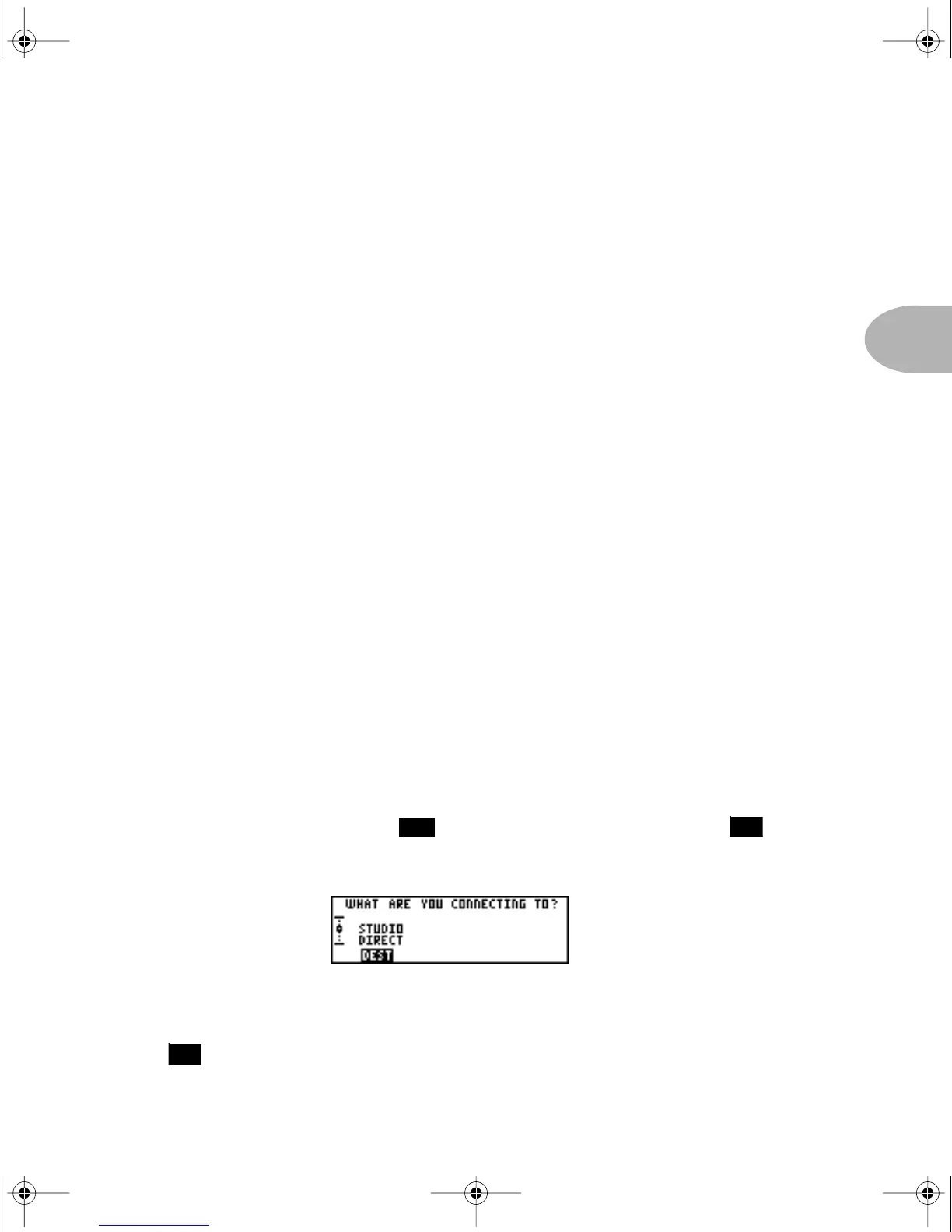
What are you connecting to?
You can supply your PODXT with one of three answers to this question, and thereby
insure that your little red pal gives you the best possible tones in any setup. To start the
dialogue, press the T
UNE/SYSTEM button and then turn the SELECT knob
until the display asks, “What are you connecting to?”
STUDIO DIRECT—When plugging PODXT straight into a P.A., or using in-ear
monitoring systems, press the Soft Button below
DEST and turn the EFFECT TWEAK
knob to select
STUDIO DIRECT for amazing tone, night after night. Line 6
24
16
14
PODxt Manual Book RevC.book Page 5 Friday, August 29, 2003 5:43 PM



 To Next Page