4
Button Locations and Functions (Continued)
Note: The RV4800 does not control the device, it just allows the
audio/video to be played through the system.
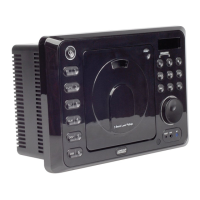
15. Reset Button: Press to reset the unit to it’s default settings.
16. Infrared Eye: Receives the signals from the remote control.
17. Dimmer Button (DIM): Press to dim the lighting in the display area. Sequential presses
will select different levels of display area lighting.
18. Radio Preset Button (6): Recalls a memorized radio station, and programs a radio
station into memory.
19. Display Button (DISP): Press to toggle through the available display information.
20. Radio Preset Button (5): Recalls a memorized radio station, and programs a radio
station into memory.
21. Alarm Button: Sets the alarm. (See “Alarm Operation” for more details).
22. Radio Preset Button (4): Recalls a memorized radio station, and programs a radio
station into memory.
23. Sleep Button: Sets the sleep timer. (See “Sleep Timer Operation” for more details).
24. Radio Preset Button (3): Recalls a memorized radio station, and programs a radio
station into memory.
25. Radio AS/PS Button: Automatic radio station memory storing (AS) and Preset radio
station scanning (PS). (See “AM/FM Operation” for more details).
26. Radio Preset Button (2): Recalls a memorized radio station, and programs a radio
station into memory.
27. EQ/LOUD Button (Equalizer and Loudness): Press to select between the preset sound equalization
settings. Press and hold the button to boost high and low tones at low volume levels (loudness).
28. Radio Preset Button (1): Recalls a memorized radio station, and programs a radio
station into memory.


 To Next Page
 Loading...