RESET
BTAUX
9
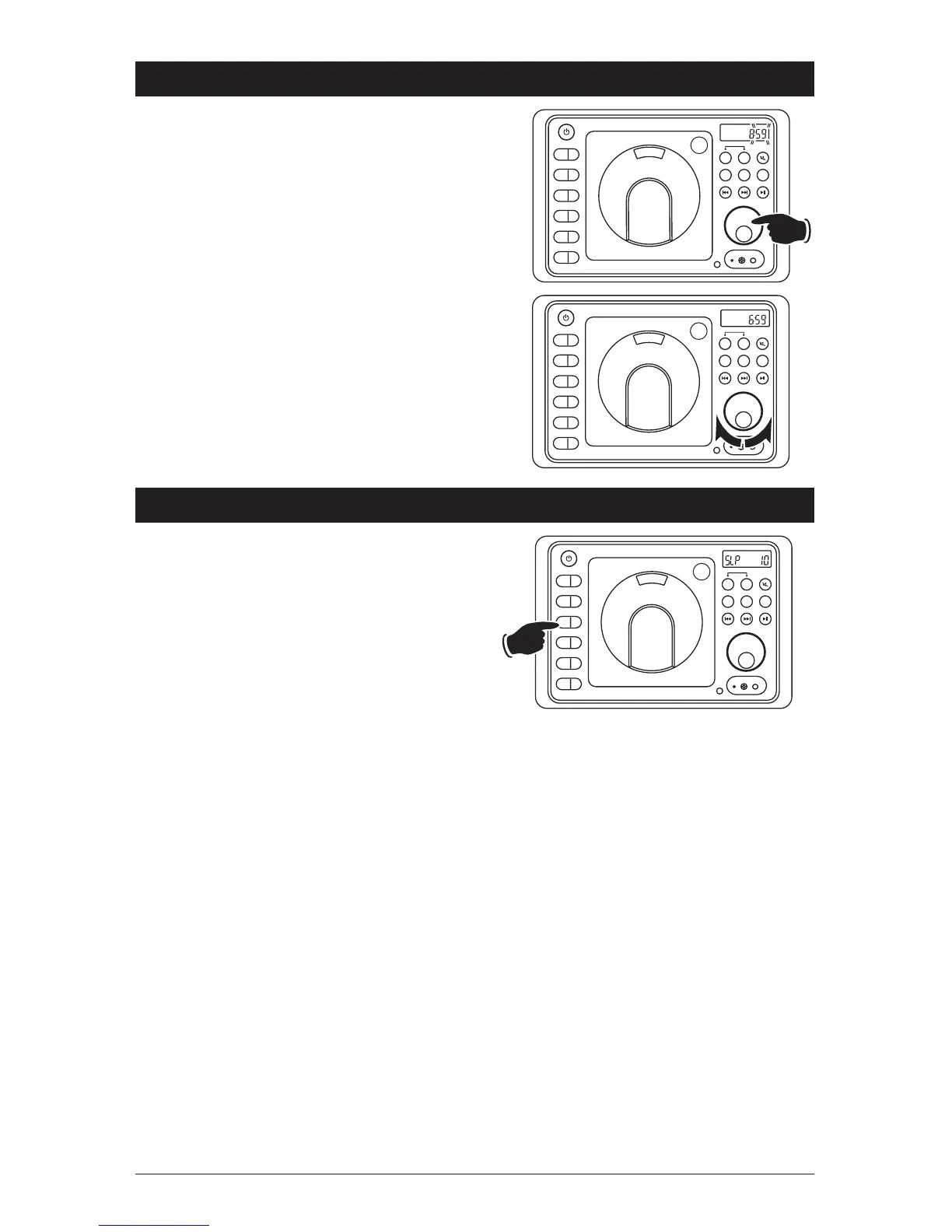
Sleep Timer Operation
Setting the Sleep Timer:
1. Press the SLP button until the “SLP 10”
appears in the display.
2. Keep pressing the SLP button again until the
desired sleep time appears in the display
(00, 10, 20, 30, 40, 50, 60, 70, 80 minutes).
3. Wait 5 seconds and the display will return
to normal operation and “SLP” will appear
in the display.
4.
After the designated sleep timer has expired
the unit will turn off automatically
.
Cancelling the Sleep Timer:
1. Press the SLP button until “00” is displayed.
2. Wait 5 seconds and the display will return to
normal operation.
Setting the Clock (Continued)
4. Press the VOLUME knob and the Minute
indicators will start flashing.
5.
Rotate the
VOLUME
knob until the correct
Minutes appears in the display
. Wait 5 seconds
and the colon between the hours and the
minutes will start flashing indicating the clock
is set.
PM
EQ
1
AS/PS
2
SLP
3
ALM
4
DISP
5
DIM
6
PUSH
EQ
1
AS/PS
2
SLP
3
ALM
4
DISP
5
DIM
6
PUSH
RESET
AV
HEADPHONES
PM
EQ
1
AS/PS
2
SLP
3
ALM
4
DISP
5
DIM
6
PUSH
A B
AM/FM
DISC
SPEAKER
A B
AM/FM
DISC
SPEAKER
A B
AM/FM
DISC
SPEAKER
BT / AX
BT / AX
BT / AX
RESET
BTAUX
RESET
BTAUX


 To Next Page