RESET
BTAUX
6
General Operations
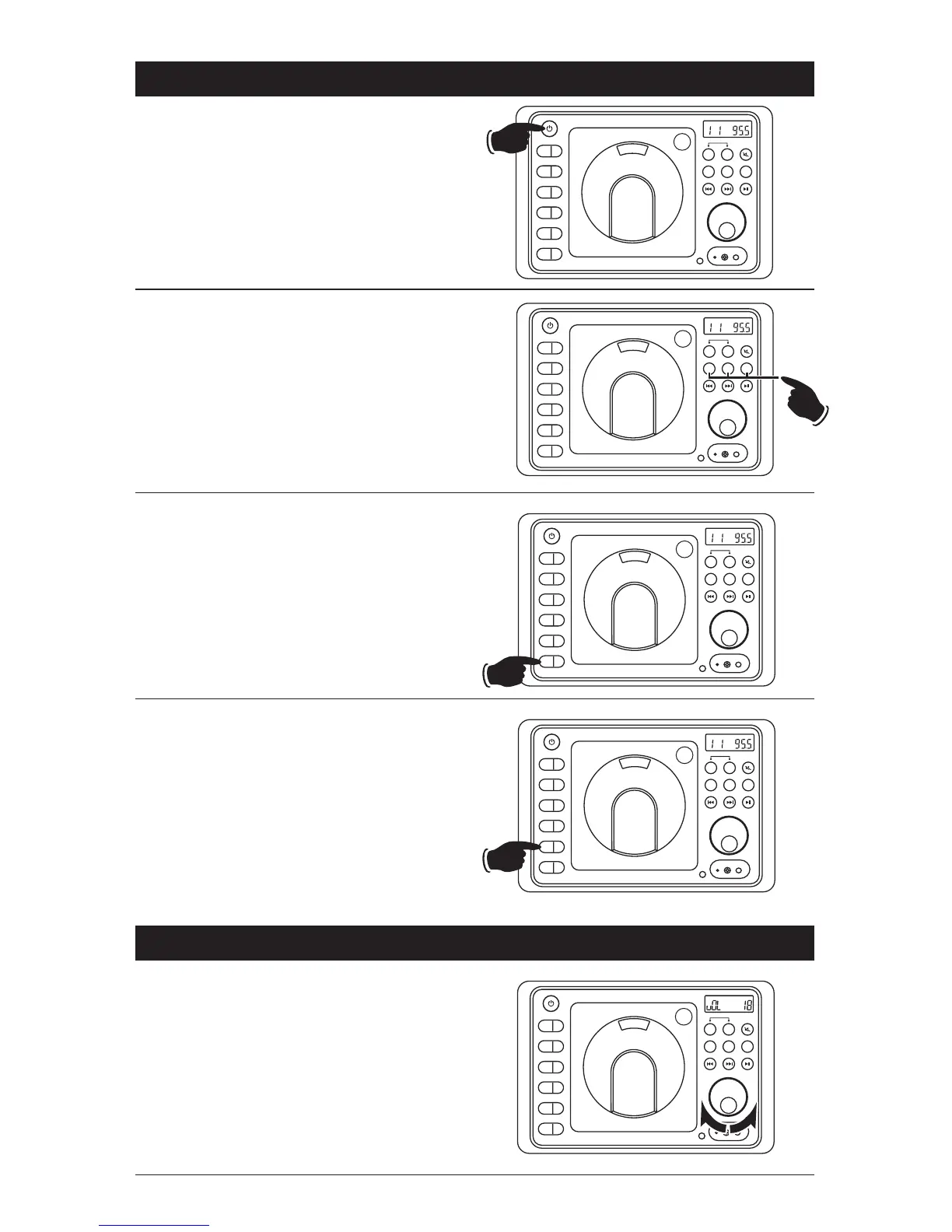
Selecting a Play Source:
To select a play source, press one of the
following mode buttons:
AUX (Auxiliary Input Front or Rear),
AM/FM (AM or FM Radio Band) or
DISC (Music or Movie)
Dimming the Display:
Press the DIM button to select the desired level
of brightness for the display area.
Display Selection:
Press the DISP button to display the clock.
Press again to return to previous display.
Press and hold to perform clock setting functions
(See “Setting the Clock” for more details).
Volume:
Increase the volume by rotating the
VOLUME
knob clockwise. Decrease the volume by rotating
the
VOLUME
knob counterclockwise.
Sound Controls
Power On/Off:
Press the POWER button to turn the unit On/Off.
EQ
1
AS/PS
2
SLP
3
ALM
4
DISP
5
DIM
6
PUSH
A B
AM/FM
DISC
SPEAKER
SPK
FM
ST
A B
AM/FM
DISC
SPEAKER
EQ
1
AS/PS
2
SLP
3
ALM
4
DISP
5
DIM
6
PUSH
SPK
FM
ST
EQ
1
AS/PS
2
SLP
3
ALM
4
DISP
5
DIM
6
PUSH
SPK
FM
ST
A B
AM/FM
DISC
SPEAKER
EQ
1
AS/PS
2
SLP
3
ALM
4
DISP
5
DIM
6
PUSH
SPK
FM
ST
A B
AM/FM
DISC
SPEAKER
EQ
1
AS/PS
2
SLP
3
ALM
4
DISP
5
DIM
6
PUSH
RESET
AV
HEADPHONES
SPK
A+B
FM
A B
AM/FM
DISC
SPEAKER
BT / AX
BT / AX
BT/AX
BT / AX
BT / AX
RESET
BTAUX
RESET
BTAUX
RESET
BTAUX
RESET
BTAUX


 To Next Page