Speech-Generating Device User Guide | 35
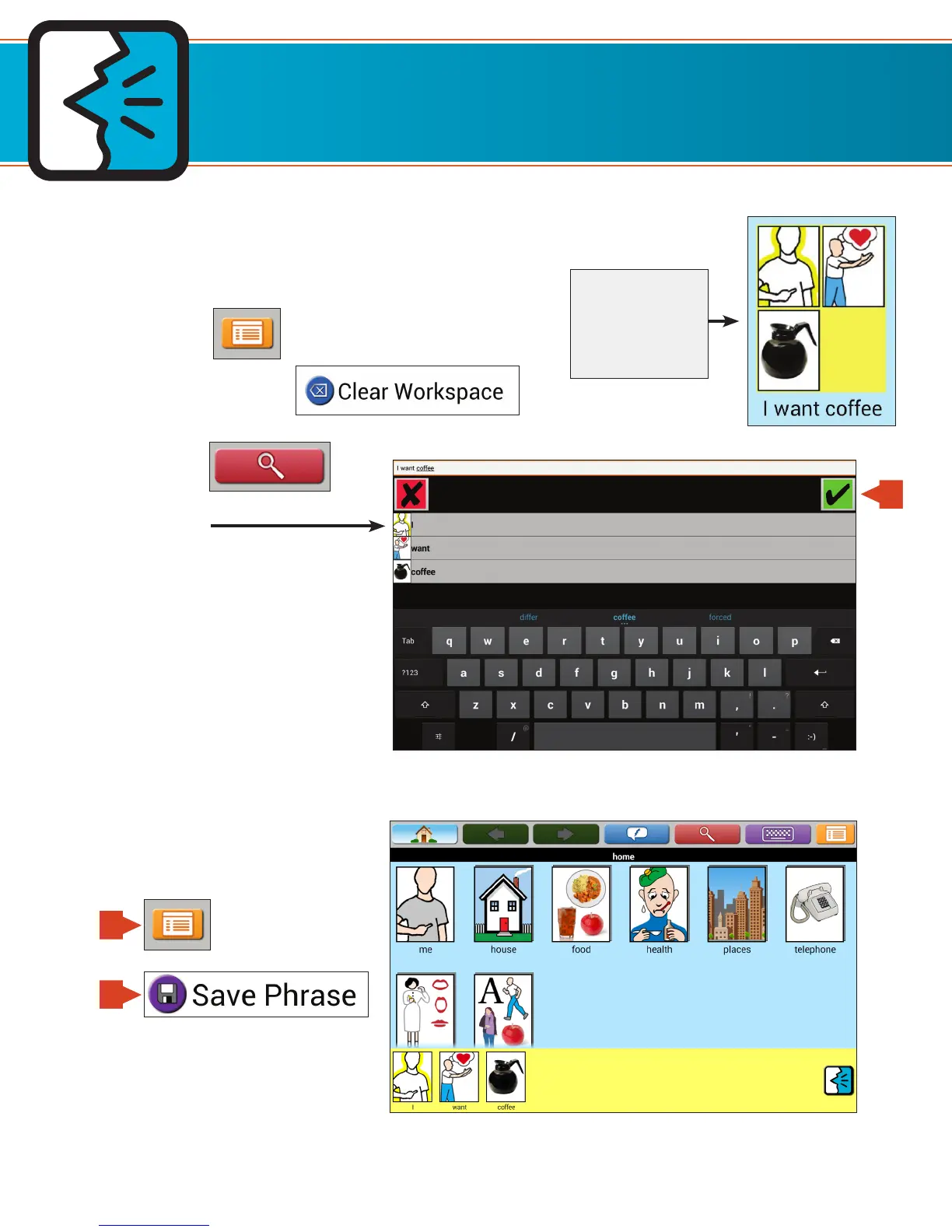
1. If there are icons in the Workspace, clear the Workspace.
– Touch Menu.
– Touch Clear Workspace.
2. Touch Search.
3. Type in phrase.
5. Save phrase to current page
by touching Menu and then
Save Phrase.
TouchTalk and MiniTalk keyboard shown.
Creating Phrase Icons by Typing
Using Phrase Icons and Strips
Each word of
the phrase is
represented by
its own icon
4
5a
5b


 To Next Page