Speech-Generating Device User Guide | 6
Power On and Off
To turn on the AllTalk, press the Power
button with your finger. The button is located
in the lower left front when being viewed in
laptop mode.
The button is located just under the .
To turn on the TouchTalk and MiniTalk, press
and hold the Power button with your finger.
If the device does not turn on, refer to the
“Troubleshooting” section at the back of
this manual.
To turn off the AllTalk, press the Power button
and the screen will say, Shutting down.
To turn the device back on, press the Power
button again.
NOTE: We recommend that you power off your
AllTalk at least once a week.
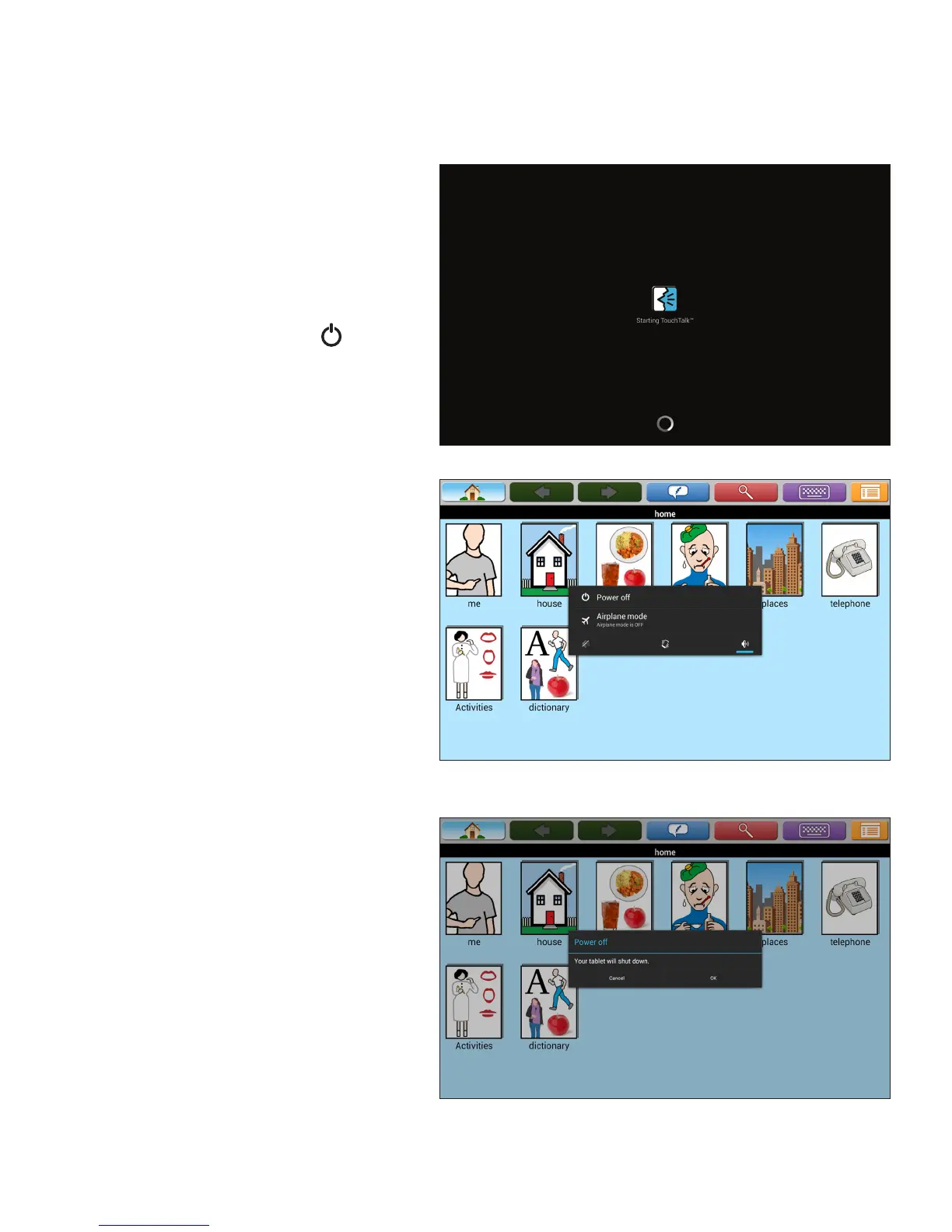
To turn off the TouchTalk and MiniTalk, press the
Power button, touch Power off, and then touch
OK. In several seconds, the screen will turn black.
After the device shuts down, you do not need to
wait before turning it back on.
TouchTalk and MiniTalk screen shown above and below.



 To Next Page