Speech-Generating Device User Guide | 40
Associative Search on AllTalk: To perform an associative search place the icon in the workspace. Double
click on the icon and you will be brought to the page where that icon lives and have access to associated
words of the same category.
Associative search on the TouchTalk/MiniTalk: To perform an associative search place the icon in the
Workspace. Touch the icon and then touch the forward green arrow. You will be brought to the page where
that icon lives and have access to associated words of the same category.
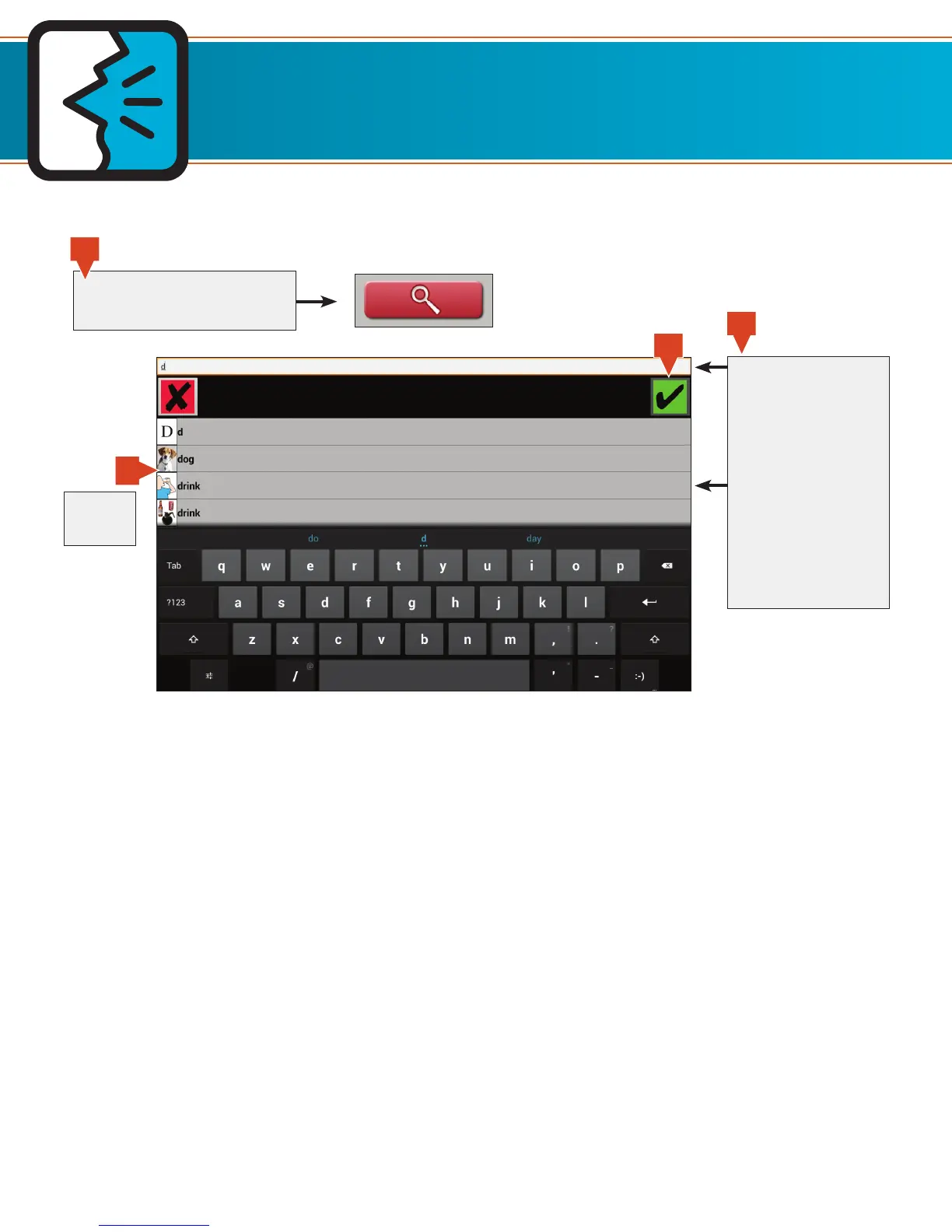
Searching for Icons
Type in an entire
word or part of a
word
OR
Move your finger
from bottom to top
to scroll, and then
touch an icon
Touch the search button to
bring up the search field
Touch a
picture
4
1
2
3
TouchTalk and MiniTalk keyboard shown.


 To Next Page