Speech-Generating Device User Guide | 27
Choose an Icon on TouchTalk and MiniTalk
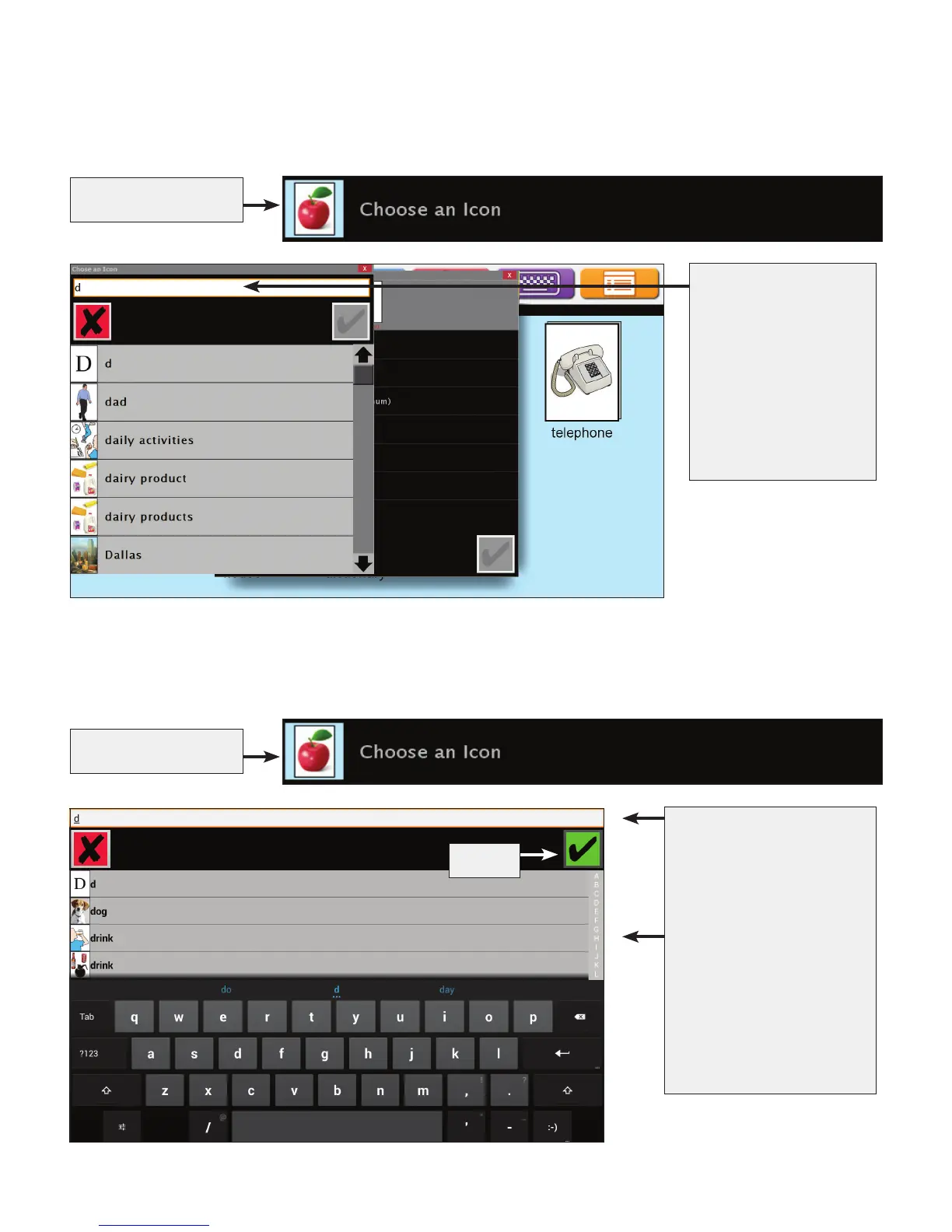
Choose an icon allows you to use a picture already saved in the vocabulary of the device.
Type in an entire word or
part of a word
OR
Touch a letter
OR
Move your finger from
bottom to top to scroll,
and then touch an icon
Select
Choose an Icon on AllTalk
Choose an icon allows you to use a picture already saved in the vocabulary of the device.
Touch Choose an Icon
Touch Choose an Icon
Type in an entire word
or part of a word
OR
Use the scroll bar
to browse icons
that begin with the
typed letter


 To Next Page