Speech-Generating Device User Guide | 39
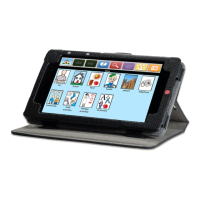
5. To save the phrase to the current
page, touch Menu.
6. Touch Save Phrase.
The Workspace will look like this.
Creating Phrase Icons Without Typing on
TouchTalk and MiniTalk
Have the setting auto add icons to Workspace enabled. Note, see page 21 for the Phrase Building Options setting.
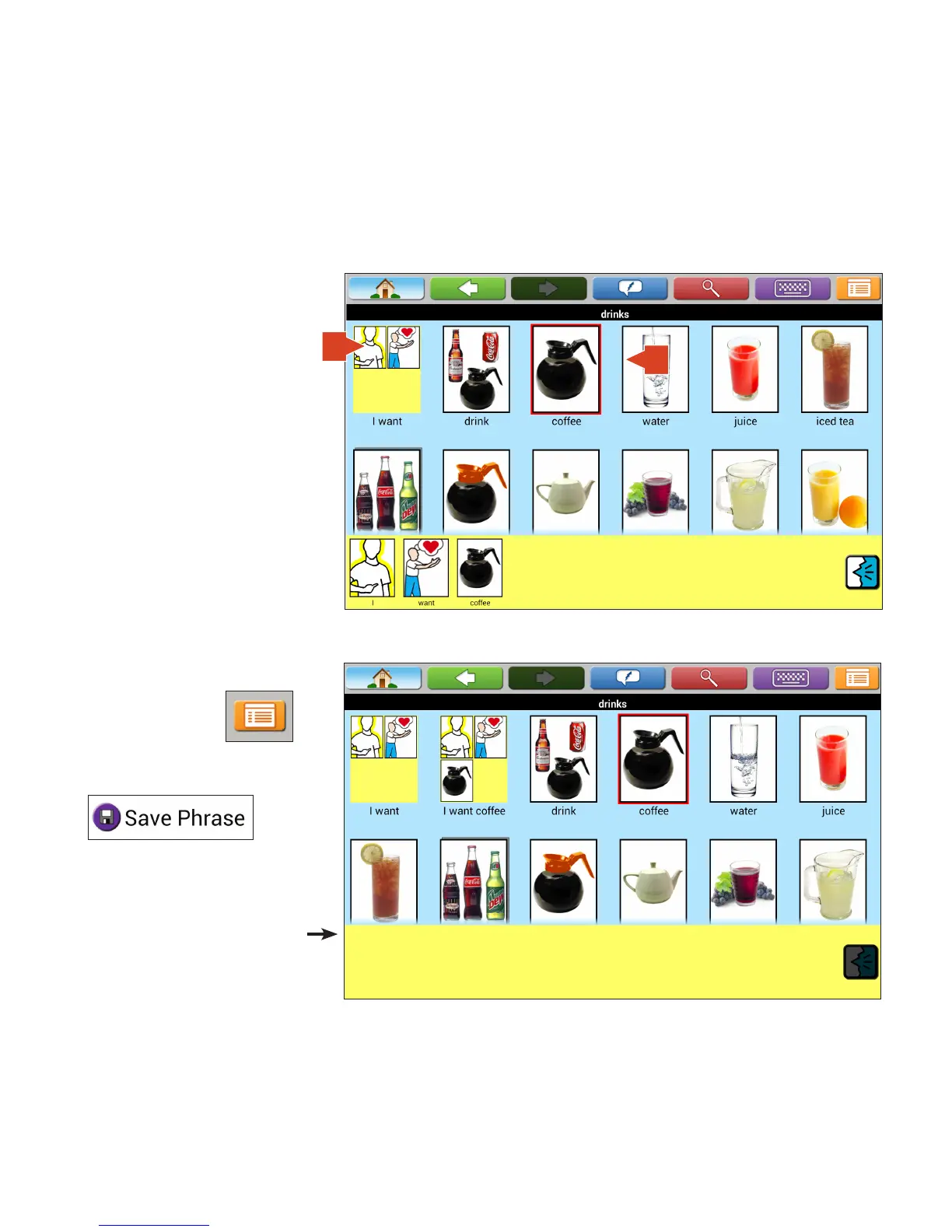
1. Touch phrase icon.
2. Touch icon to be added to phrase.
1
2


 To Next Page