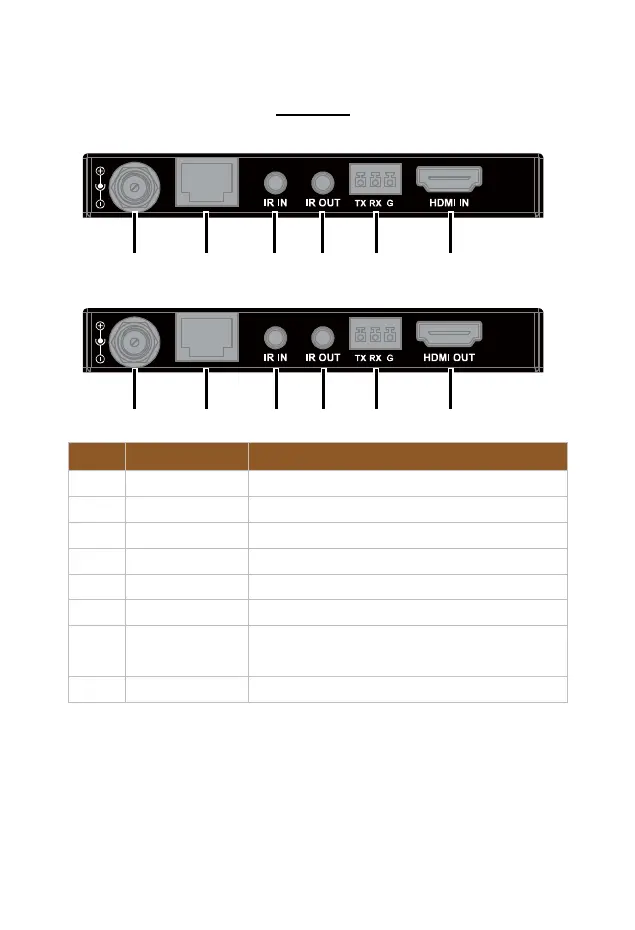
Rear Panel
No. Name Description
a & 1 DC 18V Connect to the power adapter.
b HDBT OUT Connect to the receiver via a Cat 5e/6/7 cable.
c & 3 IR IN Connect to the IR receiver provided.
d & 4 IR OUT Connect to the IR emitter provided.
e & 5 RS232 For RS232 pass-through.
f HDMI IN Connect to an HDMI source device.
2 HDBT IN
Connect to the transmitter via a Cat 5e/6/7
cable.
6 HDMI OUT Connect to an HDMI display device.


 To Next Page