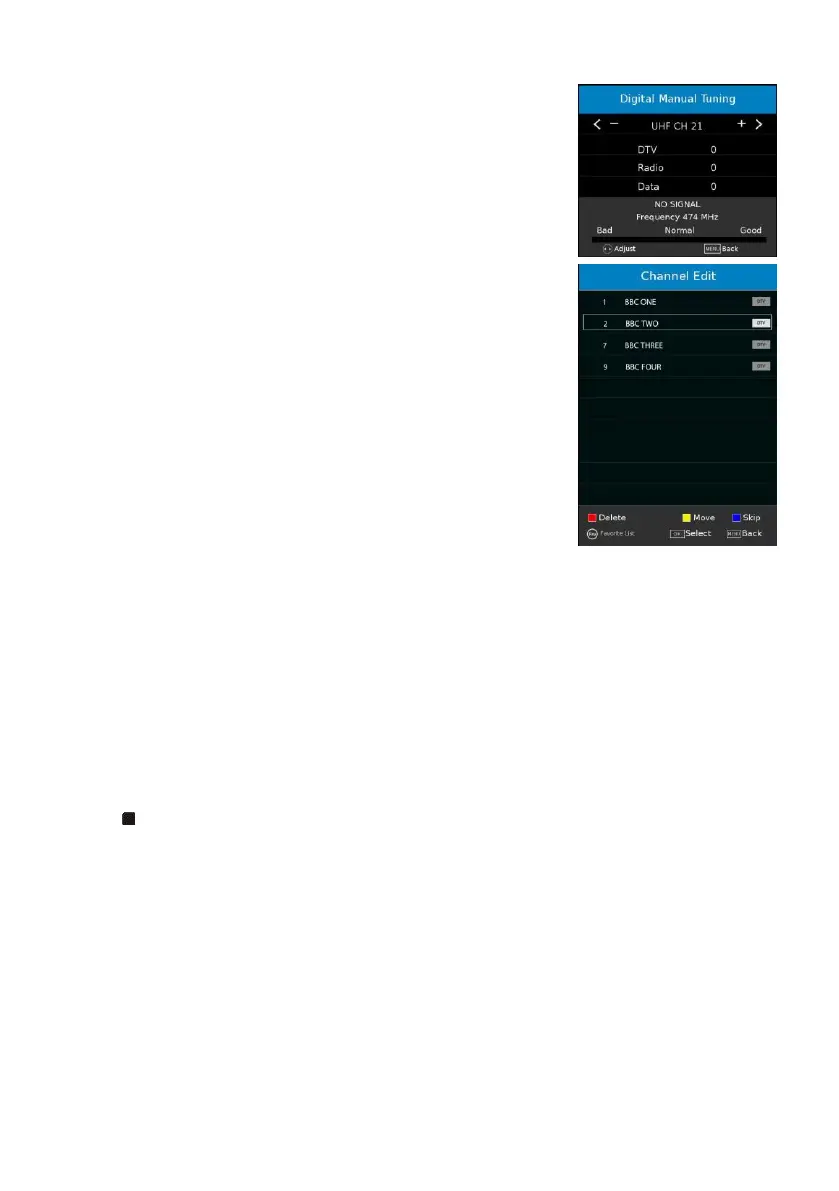
3.3 Digital Manual Tuning
- Press OK or RIGHT navigation button to enter it.
- Use LEFT/RIGHT navigation button to select the channel.
Then press OK button to start searching.
3.4 Channel Edit
- Press OK or RIGHT navigation button to enter it.
- Press UP/DOWN navigation button to highlight desired
channel.
- Press RED button on remote control to delete highlighted
channel.
- Press YELLOW button on remote control to enter MOVE
mode. Then use UP/DOWN navigation button to select
preferred position and press YELLOW button again to move it.
- Press BLUE button on remote control to skip highlighted
channel.
- Press FAV button to set current channel as a favorite channel,
and press FAV button again to set it as a normal channel.
3.5 Signal information
This item is used to display signal details, for example: channel number and strength.
3.6 CI Information
When an available CAM (Conditional Access Module) card is connected to the CI slot, the
users can see related information or manage your CAM card.
3.7 Recorded List
If recorded some programs in advance, users can watch all recorded programs here.
- Use navigation buttons to select a program.
- Press OK to play the highlighted program.
- Press button to stop playing.
3.8 Schedule List
If already set a reminder through EPG menu, users can watch all preset programs here.
- Press BLUE button to edit preset reminder.
- Press GREEN button to sort by Time or Channel Name.
- Press RED button to delete highlighted option.
3.9 OAD (On Air Download)
Turn on/off On Air Download. It’s used for software updating.



 To Next Page