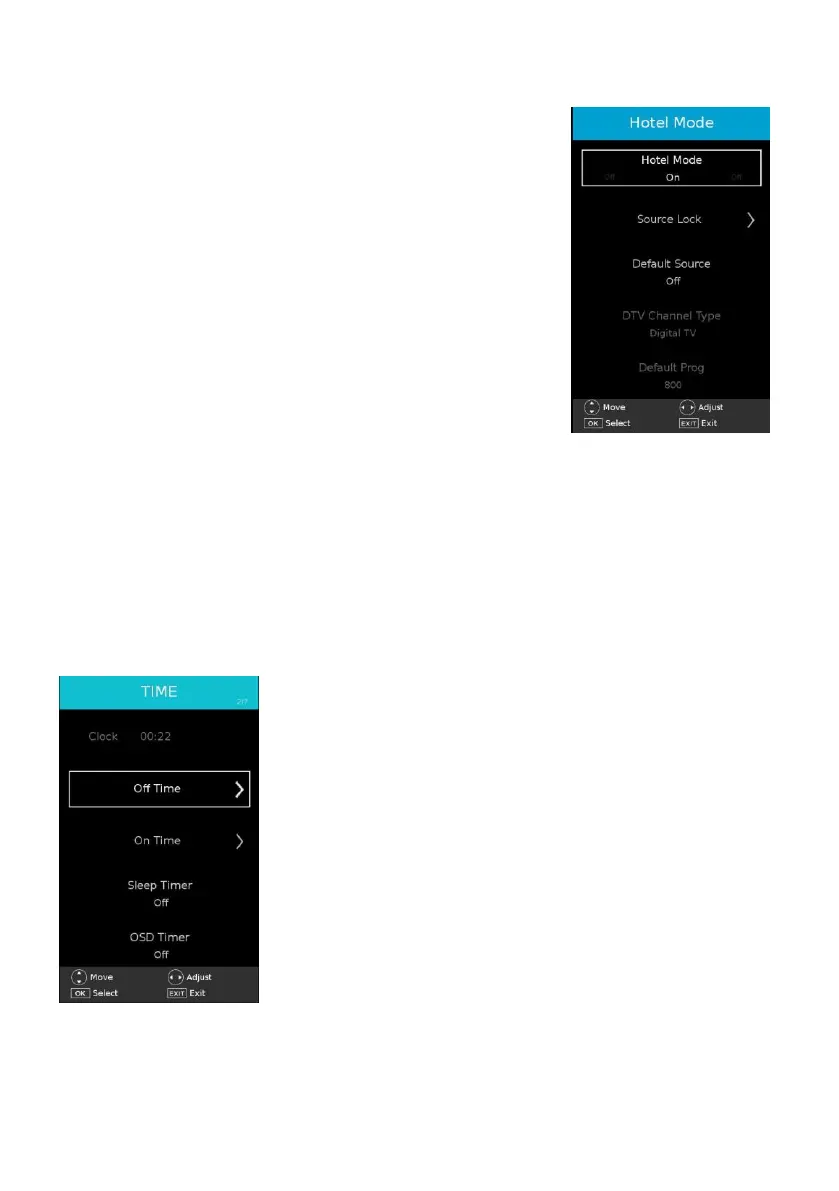
4.5 Hotel Mode
- When highlighted, press OK to enter it:
- Press UP/DOWN navigation button to move the cursor.
- Press LEFT/RIGHT navigation button to adjust the value.
- Press OK or RIGHT navigation button to enter submenu.
- Press MENU button to return to previous page.
Warm Tip: We strongly advise that you use Hotel Mode in
hotels and you should just ignore it if take this TV for home use
only.
Hotel Mode: Turn on/off Hotel lock.
Source Lock: Turn on/off the lock of all available sources.
Default Source: Select the default source.
DTV Channel Type: Select the default channel type when
Default Source is “Digital TV”
Default Prog: Select the default channel.
Default Volume: Set the default volume.
Max Volume: Set the maximum volume.
Clear Lock: Clear above settings.
USB clone to TV: Clone database from external USB device.
TV clone to USB: Clone database to external USB devices.
5. TIME



 To Next Page