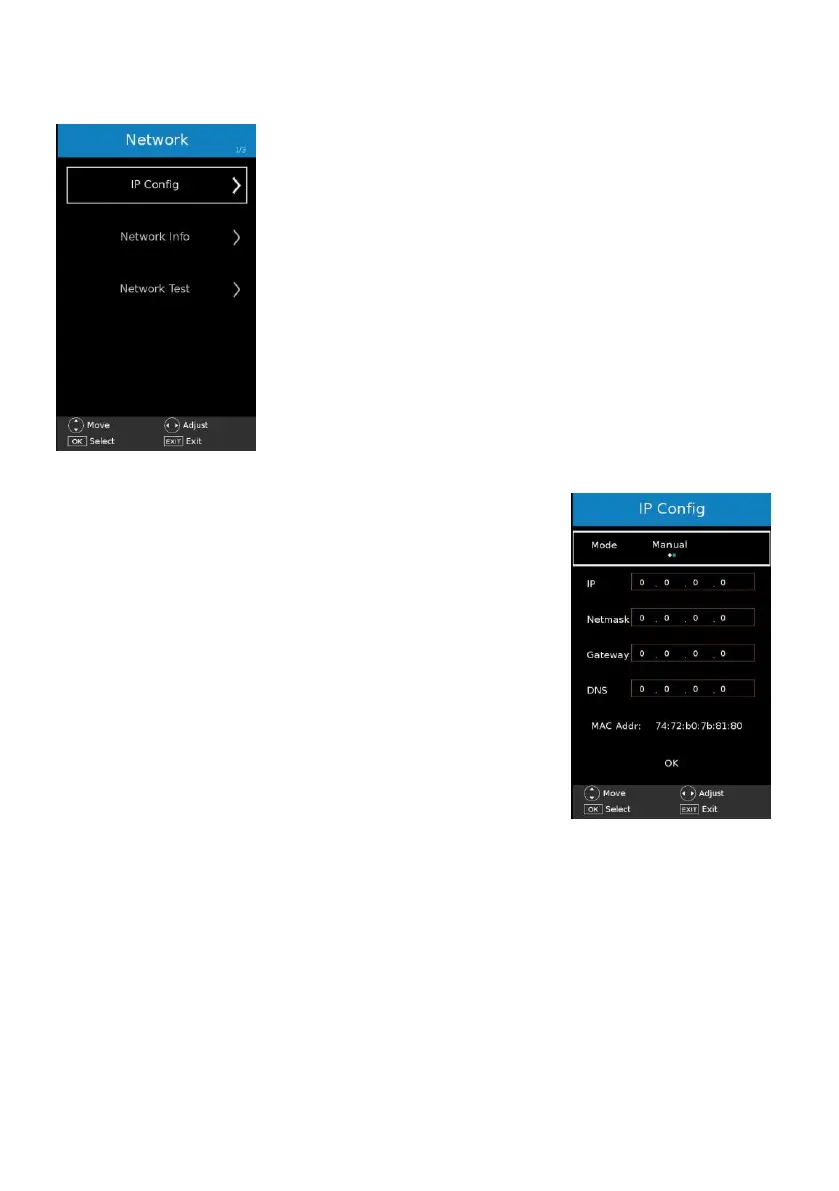
6. NETWORK
6.1 IP Config
Notice: Connect your local network using a LAN cable first.
- Press OK or RIGHT navigation button to enter it.
- Press UP/DOWN navigation button to highlight desired
channel.
Mode: select Auto to gain IP address automatically; select
Manual to configure IP manually.
IP / Netmask / Gateway / DNS: press OK button to enter
adjusting mode and use numeric buttons on remote control to
MAC Addr: show the MAC address.
When above settings are finished, highlight “OK” on this menu
and press OK button on remote to finish configuration.
6.2 Network Info
This item is used to show IP Address, Mask, Gateway and so on information.
6.3 Network Test
This item is used to test the network condition.



 To Next Page