12 | CONTROLS AND CONNECTIONS
6
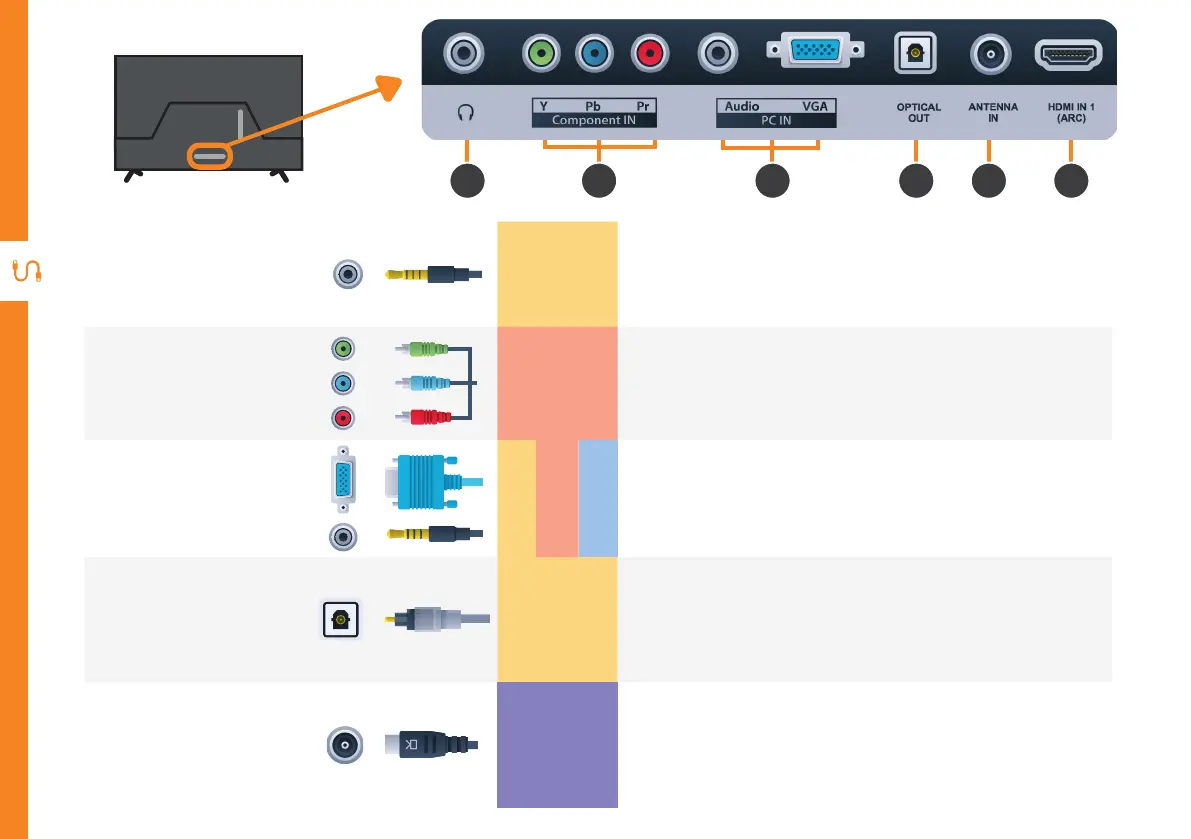
Headphone
Jack
SOUND
Connect to your headphones, amplifier or audio device, using an
AUX cable (not included).
7
Component
IN
PICTURE
You can use this to connect your DVD player. Supports High
Definition (HD) picture quality. This also requires a component
cable (not included).
8
PC IN
SOUND
PICTURE
COMPUTER
Connect your PC and its Audio to your TV. Requires VGA and
AUX Cable (not included).
9
OPTICAL
OUT
SOUND
Connect an external digital audio device. Use an Optical cable
(not included) to connect the unit with an amplifier, soundbar or
other audio decoding device for digital audio signal output.
10
ANTENNA IN
FREE-TO-AIR
TV
Connect your antenna for live TV. (Antenna cable not included.)
6 7 8 9 10 11



 To Next Page