CONTROLS AND CONNECTIONS | 11
4 5 1 6 7
2
4
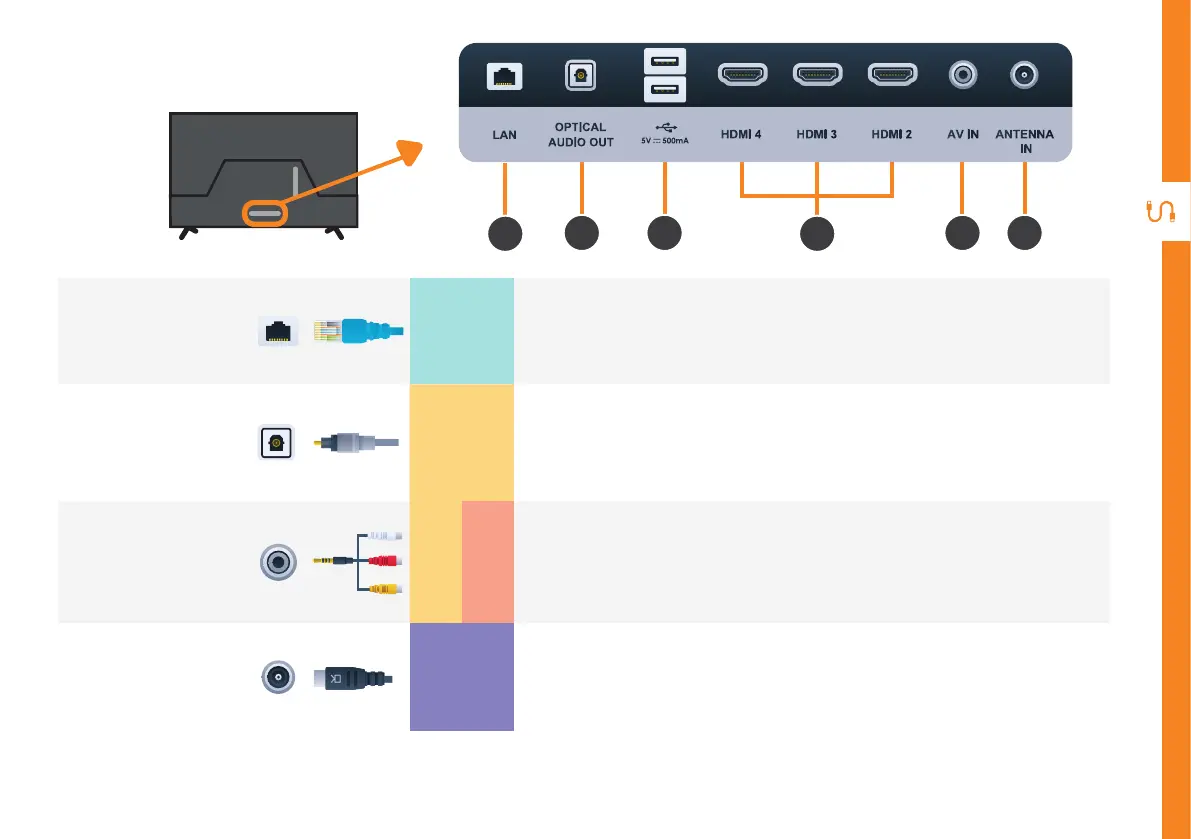
LAN
INTERNET
Connect to your broadband modem using a network cable (not included) for
best steaming experience. However, the TV also has built-in wifi.
5
OPTICAL
AUDIO OUT
SOUND
Connect an external digital audio device. Use an Optical cable (not included)
to connect the unit with an amplifier, soundbar or other audio decoding
device for digital audio signal output.
6
AV IN
SOUND
PICTURE
Connect the mini AV cable (included) and standard AV cable (not included)
to connect your DVD player. Supports Standard Definition (SD) resolution
and audio connections.
7
ANTENNA IN
FREE-TO-AIR
TV
Connect your antenna for live TV. (Antenna cable not included.)
HDMI 4 HDMI 3 HDMI 2 AV IN ANTENNA
IN



 To Next Page