CONTROLS AND CONNECTIONS | 9
See next page for more info on the connections.
Controls and Connections
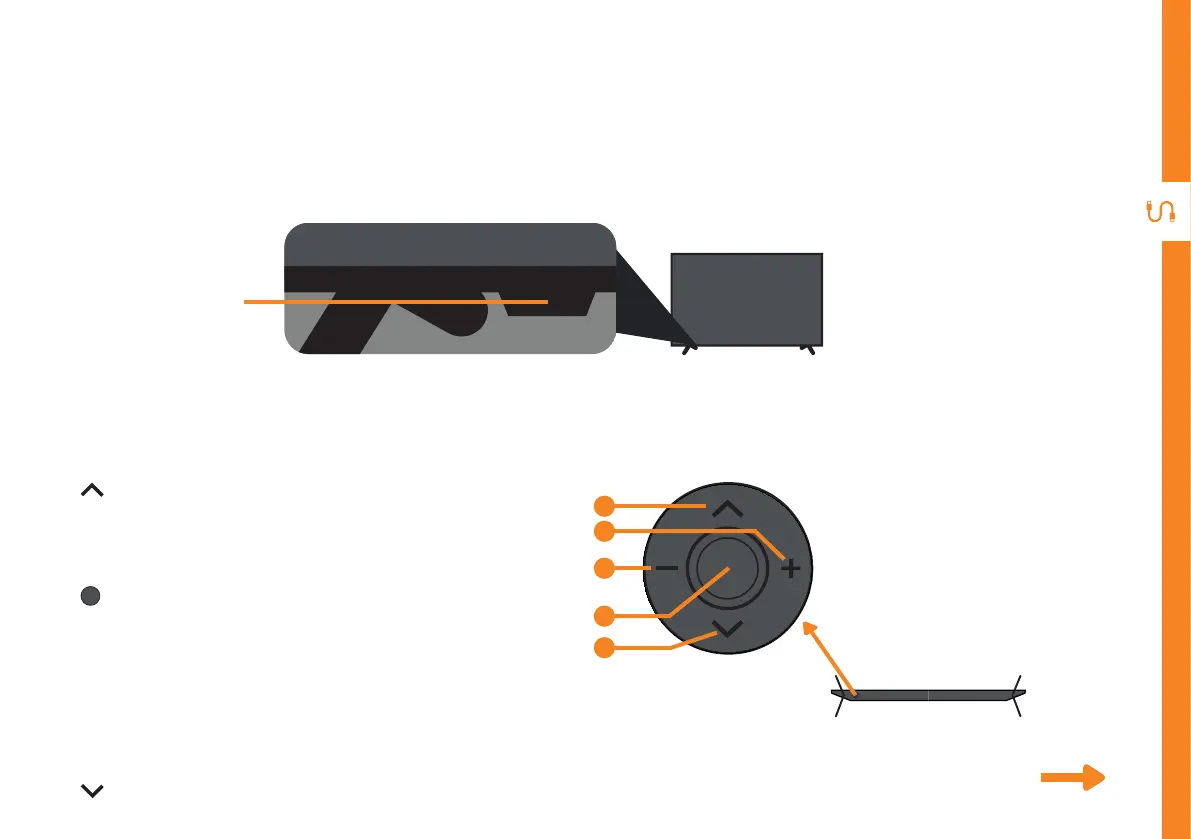
Buttons on the TV
Get to know your TV
Front view
On/Standby light and
Remote sensor
1. : Select the next channel or move up.
2. + : Increase the volume level or move right.
3. - : Decrease the volume level or move left.
4. : • When TV is on standby, press to turn on.
5. : Select the previous channel or move down.
1
2
3
4
5
Bottom View
• When TV is on, press to enter the menu.
Use the joystick to navigate around the
interface and press to enter the highlighted
item.
• When TV is on, press and hold to put TV on
standby.



 To Next Page