14 | REMOTE CONTROL
Standard Remote
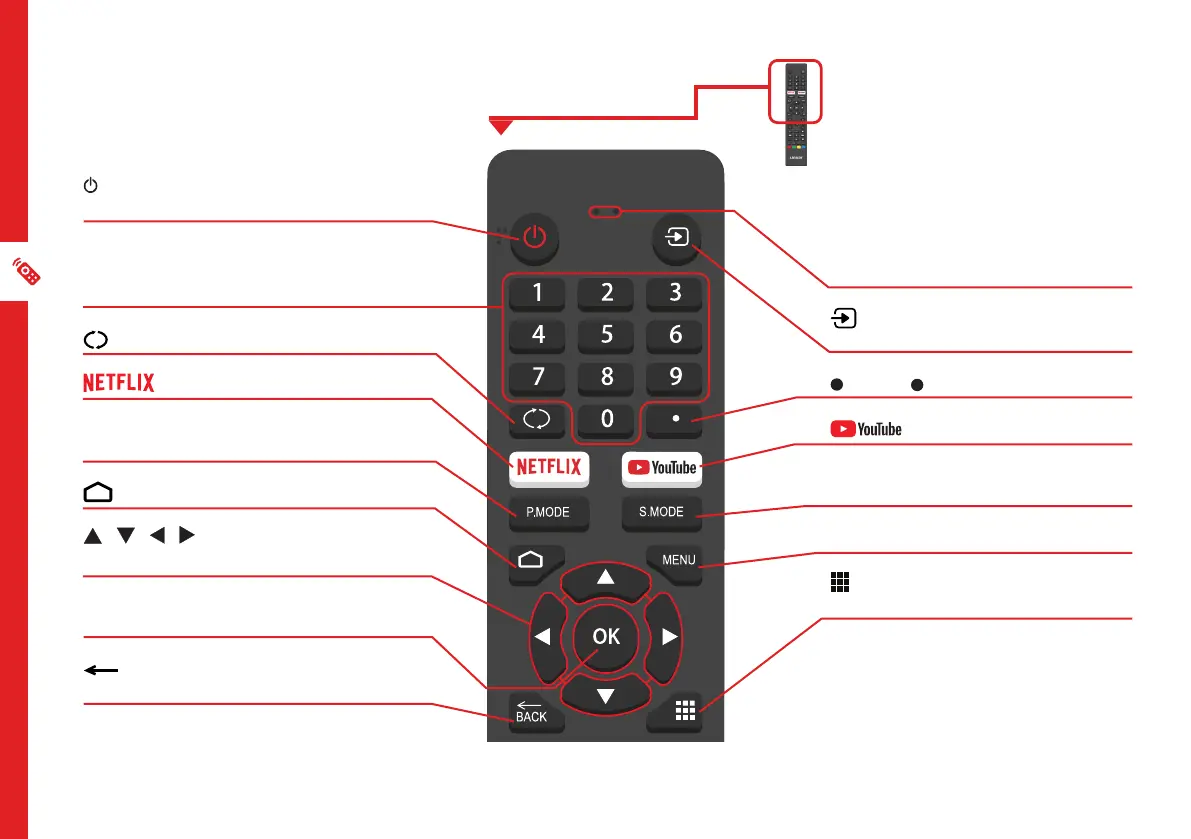
Microphone (lights up when active)
: Switch between input signal
sources
: Enter ( ) character
: Launch the YouTube app
S.MODE: Switch between preset
Sound Modes
MENU: Enter on-screen menu
/ APPS LIST: Access installed
apps list
(ON): Switch the TV to On or
Standby
NUMBER BUTTONS (0-9): Press
to select a TV channel directly when
watching TV
: Jump to last viewed channel
: Launch the Netflix app
P.MODE: Switch between preset
Picture Modes
: Android TV home screen
/ / / : Press the UP/DOWN/
LEFT/RIGHT buttons to navigate
OK: Confirm your selection; access
live TV Channel list
/ BACK: Return to the previous
screen



 To Next Page