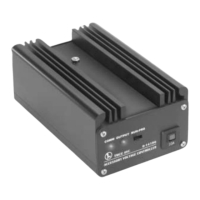
The black module is used for a few different tasks:
Transfer your existing Legacy Base2’s engine database to your new Base3
Backup and/or restore your Base3’s database
Update your Cab2 remote’s firmware
Updating Cab2 firmware using black memory module
1. Download the latest Cab2 firmware from the Lionel Support Site.
2. Plug the black memory module into the Base3
3. The firmware can be installed into the black memory module using one of two ways:
a. Using the Cab3 APP.
b. Using the B3SU (Base3 System Utility).
4. After the firmware has been downloaded to the black memory module via the previous step,
unplug it from the Base3.
5. Turn off the Cab2 remote and plug in the black memory module.
6. Press and hold the SET and CTC buttons. Wait 10-15 seconds and your screen will display the
main page. The remote firmware is now updated.
ORANGE MEMORY MODULE FOR OLDER LEGACY ENGINES
Your Legacy engines perform best when all its options are loaded into the Base3 database. Older Legacy
locomotives included an orange memory module, which is one way to load these settings.
Orange Memory Module Procedure using Cab2
1. Address a LIONEL LEGACY Control System equipped engine with its TMCC ID#
2. Press INFO
3. Select LOAD with the soft keys
4. Insert your Orange module into your remote
5. Follow the on-screen prompts to load the engine info
Information about your engine will be downloaded into the Base3 database and associated with the ID#
you entered in step 1. This information will now be used by all remotes connected to the Base3.



 To Previous Page