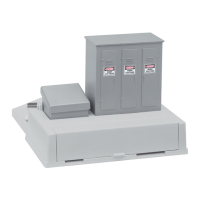
Lionel Base3 User Guide
Rev 7/12/23
Contents
Introducing the Base3 and Cab3 APP .......................................................................................................... 3
Connecting the Base3 to your Layout .......................................................................................................... 3
GET READY TO RUN ................................................................................................................................... 3
LOCATION.................................................................................................................................................. 4
POWER UP THE TRACK .............................................................................................................................. 4
Cab2 Remote with the Base3 ....................................................................................................................... 4
Setting Base3 & Cab2 channel number .................................................................................................... 4
TO LEARN THE CHANNEL OF YOUR BASE3: ............................................................................................... 4
TO CHANGE THE CHANNEL OF YOUR BASE3: ........................................................................................... 4
TO MATCH THE CHANNEL OF YOUR CAB2 AND BASE3: ........................................................................... 5
BASE COMMUNICATION ........................................................................................................................... 5
RADIO LINK WARNING LIGHT.................................................................................................................... 5
INTERFERENCE FROM CAMERAS .............................................................................................................. 5
Base3 Wi-Fi Configuration............................................................................................................................ 5
ACCESS POINT MODE ................................................................................................................................ 6
JOIN to NETWORK Mode (WPS) ................................................................................................................ 6
JOIN To NETWORK Mode (no WPS) .......................................................................................................... 6
Base3 Lights! ................................................................................................................................................. 7
The light bars............................................................................................................................................. 7
Programming Bluetooth Engines into the Base3 ........................................................................................ 8
To Program a Bluetooth Engine into the Base3: ....................................................................................... 8
Bluetooth Engine Information .................................................................................................................. 8
Programmed Bluetooth Engines ............................................................................................................... 9
Clearing a Bluetooth Engine from the Base3 Database ............................................................................ 9
How to tell if an engine is Bluetooth ........................................................................................................ 9
Programming RF LionChief Engines into the Base3 .................................................................................... 9
TO PROGRAM A RF ENGINE INTO THE BASE3: ........................................................................................ 10
RF ENGINE INFORMATION ...................................................................................................................... 10
PROGRAMMED RF ENGINES ................................................................................................................... 10



 To Next Page