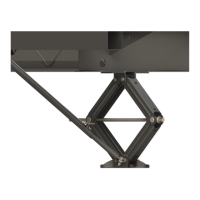
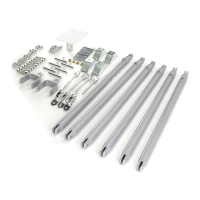
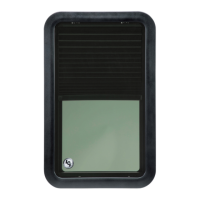
The Lippert SlimRack® Slide-Out system is a rack-and-pinion design operated by a 12V DC gear motor, engineered to provide years of trouble-free service. This system maximizes interior RV space, offering added comfort and a practical solution for additional space needs. It combines versatile above-floor placement with an attractive, seamless flush-floor style for a sleek, polished, high-end look with no step up.
Function Description:
The SlimRack Slide-Out system facilitates the extension and retraction of an RV's slide-out room. It is controlled by either a touchpad or a rocker switch, depending on the specific controller model. The system is designed with programmable stops that automatically halt the motor when the slide-out room is fully extended or retracted. It also incorporates fault detection capabilities to assist in troubleshooting.
Important Technical Specifications:
The system utilizes a 12V DC gear motor. Controllers vary by part number and functionality:
- Manual-Program Motorized and Towable Controllers:
- Power Gear part numbers: 1510000199, 700155, 700157
- Lippert part number: 366697
- These controllers connect to a touchpad and have programmable stops that are initially set at installation by an OEM-authorized dealer. They must be reprogrammed if stops need to be reset due to fault codes or changes in initial settings.
- Fault codes are indicated by flashing red (fault code) and green (motor code) LEDs on the touchpad. A solid green LED indicates normal operation.
- Minor faults can be cleared by pressing and releasing the IN or OUT buttons. Major faults require pressing and releasing the SET STOPS/CLEAR FAULTS button on the back of the touchpad.
- Auto-Programmable Controllers:
- Power Gear part numbers: 1510000236, 1510000276 (Winnebago - discontinued)
- Lippert part numbers: 366701, 697096, 700156, 366703 (Winnebago - discontinued)
- These controllers connect to a rocker switch. Stops are automatically programmed each time the slide-out room is used.
- Faults are indicated by flashing LEDs on the controller and, if equipped, on the rocker switch. The Fault Code LED on the rocker switch flashes red, and the Motor LED on the controller flashes green to indicate which motor has the fault.
- For major faults, these controllers automatically enter "Emergency Jog" mode, allowing the user to jog both motors in the desired direction (IN or OUT) by repeatedly pressing the rocker switch. The controller returns to normal operation after five minutes of inactivity or by cycling power.
Usage Features:
- Operation:
- Prior to Moving: Ensure the engine or generator is running for ample voltage, and set the parking brake (if applicable).
- Extending: The engine/generator must be running, or the unit plugged into shore power. Transmission in park/neutral (if applicable), parking brake set, unit leveled. Remove transit bars (if equipped). Turn on the on/off switch or key (if equipped). Press and hold the OUT button until the room is fully extended and stops moving.
- Retracting: Same power and vehicle conditions as extending. Press and hold the IN button until the room is fully retracted and stops moving. Install transit bars (if equipped).
- Safety: Always ensure the slide-out room path is clear of people and objects before and during operation. Keep clear of gear racks. Moving parts can pinch, crush, or cut.
- Electrical Override Modes: In case of component failure or electrical problems (for manual-program controllers), the slide-out room can be overridden and retracted. This involves removing the touchpad, noting fault codes, pressing the SET STOPS/CLEAR FAULTS button, and then pressing the ROOM SLIDE-OUT MOTOR buttons on the back of the touchpad to manually control motor movement.
- Manual Override Mode (All Controllers): If power is lost or electrical override fails, the room can be manually retracted. This involves accessing the vertical channel assembly, removing the motor cover, and either removing a retaining spring or loosening a motor retaining screw, then removing the motor. The slide-out room can then be pushed in uniformly. Motors must be reinstalled and secured afterward.
- Alternate Override Modes (All Controllers): If other override methods fail, the slide-out room can be retracted using a ratchet and socket attached to the end of the coupler or by turning the 1/2" square drive shaft of each vertical channel assembly. This requires removing the motor first.
Maintenance Features:
The Lippert Slide-Out system requires very little maintenance.
- Visual Inspection: When the slide-out room is extended, visually inspect the slide gear rack assemblies for dirt or foreign material and remove any debris.
- Lubrication: If the system squeaks or makes noises, hand apply a dry lubricant to prevent or stop the squeaking.

 Need help?
 General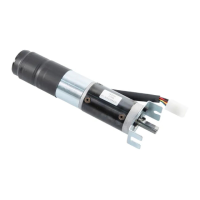

 To Next Page