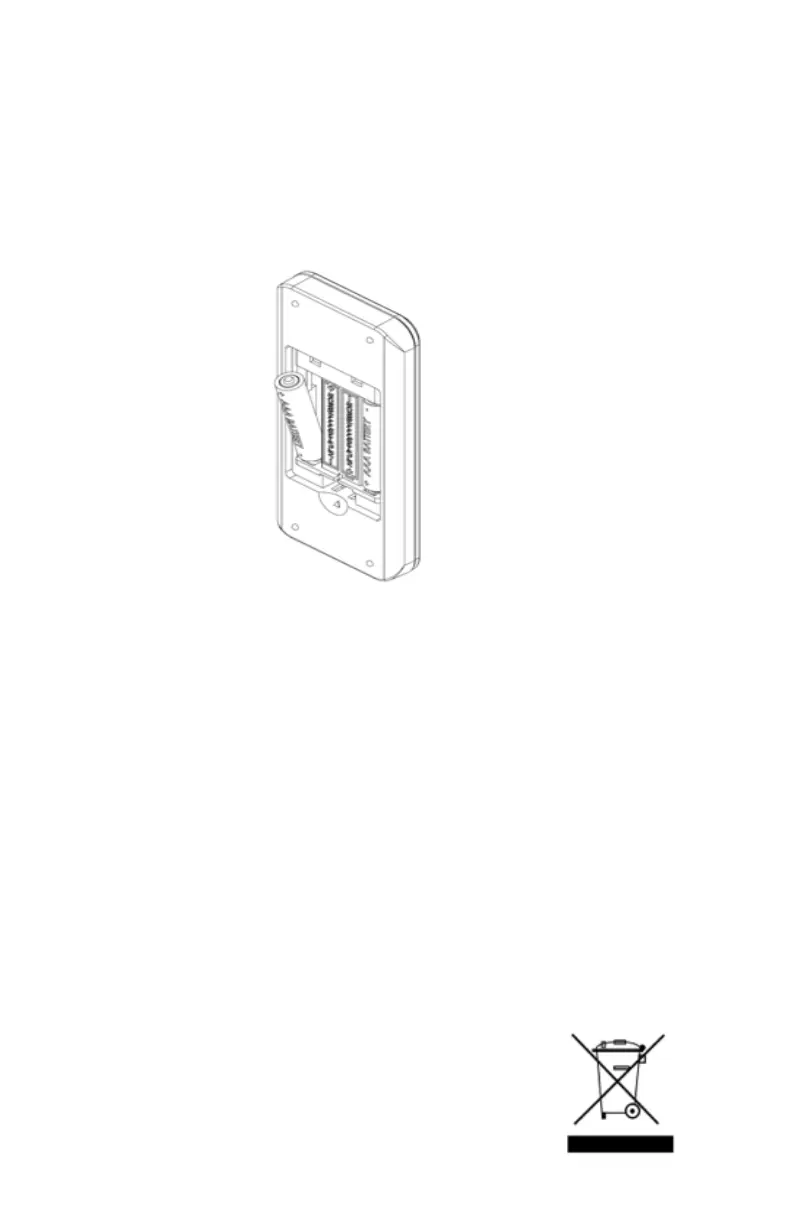
BATTERY INSTALLATION - REMOTE CONTROL
1. Remove battery compartment cover.
2. Insert two AAA batteries (included) into the remote control.
Note: Make sure to match the (+) and (-)symbols on the batteries with the (+) and (-)
symbols inside the battery compartment.
3. Re-attach the battery compartment cover.
4
PRECAUTIONARY TIPS FOR BATTERY INSTALLATION
• Do not ingest batteries.
• Non-rechargeable batteries are not to be recharged.
• Batteries are to be inserted with the correct polarity.
• Exhausted batteries are to be removed from the product.
• Do not mix old and new batteries.
• Do not mix Alkaline, standard (carbon zinc), or rechargeable (NiCad, NiMH, etc.)
batteries.
• Only use AAA batteries.
• Install only new batteries of the same type.
• Failure to insert batteries in the correct polarity, as indicated in the battery
compartment, may shorten the life of the batteries or cause batteries to leak.
• Do not mix old and new batteries.
• Do not take apart the batteries, heat them, or throw them into a re.
• Keep the batteries away from children and pets.
• When not using the remote control for a long period of time, remove and store
batteries in a cool, dry place at normal room temperature.
BATTERY DISPOSAL
Please, always dispose of batteries at a suitable recycling point.
Note: Batteries should be recycled or disposed of as per
state and local guidelines.
Note: For best results, use only
alkaline batteries.



 To Next Page