5
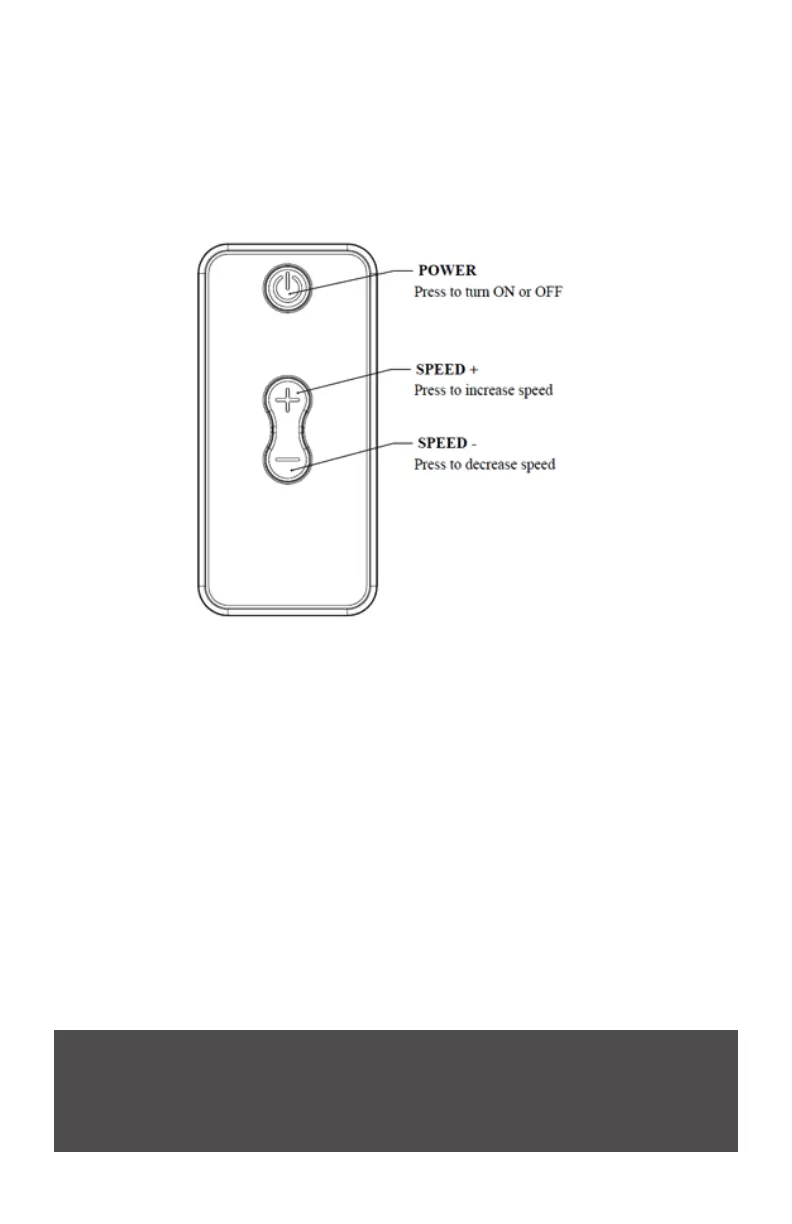
USING THE REMOTE CONTROL
Power Button - Press to turn on or o.
+ Button – Press to increase the speed of the star eld’s rotation.
- Button – Press to decrease the speed of the star eld’s rotation.
INCREASING AND DECREASING THE LIGHT ANIMATION SPEED
Press the (+) or (-) buttons on your remote to increase or decrease the light animation
speed. The light projection will blink ONCE after each speed-setting change and TWICE
after it has reached the fastest or slowest speed-setting.
Remote FCC Compliance:
This device complies with Part 15 of FCC Rules. Operation is subject to the following two
conditions: 1. this device may not cause harmful interference, and 2. this device must accept
any interference received, including interference that may cause undesired operation.
PRECAUTIONARY TIPS FOR THE REMOTE CONTROL
• The remote control should be kept dry and away from heat sources. Avoid humidity. If
the device responds erratically to the remote control, or doesn’t respond at all, check
the batteries.
• Do not subject the remote control to undue physical stress, such as striking or
dropping it.
• Do not attempt to clean the remote control with a volatile solvent. Wipe it with a clean,
damp, soft cloth for cleaning.



 To Next Page