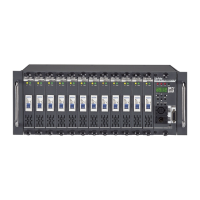
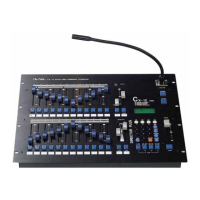
CX-12 DIRECTOR PLUS
OPERATING DESCRIPTION....…….Starting channel operation
A. POWER SUPPLY: 110V~240V AC
B. TURNING POWER ON;
Hardware ac on / off switch on rear panel
software; on/off switch on upper right corner of front panel
C. BLANK KEY; check led light on blank key. Cx-12 is operational
when when light is off.
D. CHANNEL OPERATION
1. Pull down all the fader VR---->to the bottom
2. Pull down master fader VR---->to the bottom, then press key below.
3. Adjust master faderVR to maxium level.
4. Press SC/CH key to enter into channel mode-----> LCD shows:
PAGE START CH01
Check if operation is in Channel mode (2 ways);
1. LCD screen
2. page keys’ indication lights: green = channels, red = scene
5. Press page key #1~4, depending on start channel of first fader VR (see below) .
6. Page 1,2,3,4 --> page 1: ch01~24---> LCD shows: PAGE START CH01
page 2: ch25~48---> LCD shows: PAGE START CH25
page 3: ch49~72---> LCD shows: PAGE START CH49
page 4: ch73~96---> LCD shows: PAGE START CH73


 To Next Page