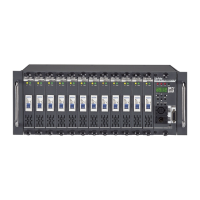
CX-12 DIRECTOR PLUS
OPERATING DESCRIPTION.........Setting up a sequence
Setting a sequence provides the operation for both the chaser and the A/B
crossfaders.
A A sequence can be made only when more than two scenes have been set.
B. Prog--------------->Scene
å ---->Sequence ---------------->Chaser program (for chaser)
å ------>A/B Cross fader
C. Set scene in advance
D. Create a sequence with the scenes.
Note:Squence programs are used to run chaser program or for the A/B cross fader.
1. Press PROG key-------->LCD shows: 1. Scene 2. Sequence
2. Press Function key #2(Sequence)---------->LCD shows: 1. Load 2. Save
3.Edit 4.Clear
3. Press function key #3 (Edit) ---------> LCD shows : 1.:1 2:+ 3:- 4:E
4. LCD also shows : Sequ.Step01=S(scene)00
A. Key in a desired scene#, previously saved, to step #01.
B. Press ENTER. LCD shows--------> Sequ.Step02=S(scene)00
C. Step#2 is now ready to be entered.
D. Key in a desired scene#, previously saved, to step #02.
E. Press ENTER. LCD shows--------> Sequ.Step03=S(scene)00
F. Step#3 is now ready to be entered.
G. To end sequence: press function #4(E-end)
Note: there are a total of 64 steps possible
5. To save: indicate a # to the sequence program.
A. Press PROG--------->LCD shows: 1.Load 2.Save 3.Edit 4.Clear
B. Press function key #2 (Save)
C. Press a No. (01~24) . Example: No. 04
D. Press ENTER. The sequence has been stored in No. 04


 To Next Page