54
• The A-weighted sound pressure level is below 70 dB.
• Use only with accessories included in the package, or recommended by the
manufacturer.
• Except when charging, always unplug from the electrical socket after use.
• Keep away from water or any detergent.
• The charger adaptor must be kept dry at all times
Should the following situations occur, unplug and switch off immediately, and
send for examination or repair:
1. The blade, main unit, power cord or attachment comb is damaged.
2. The clipper or the adapter is dropped into water.
3. The clipper is switched off, but the charging indicator does not light up when
plugged into the power source.
The clipper and accessories must be checked regularly for damage. If damage
is detected, do not put the device into operation.
IMPORTANT NOTICE
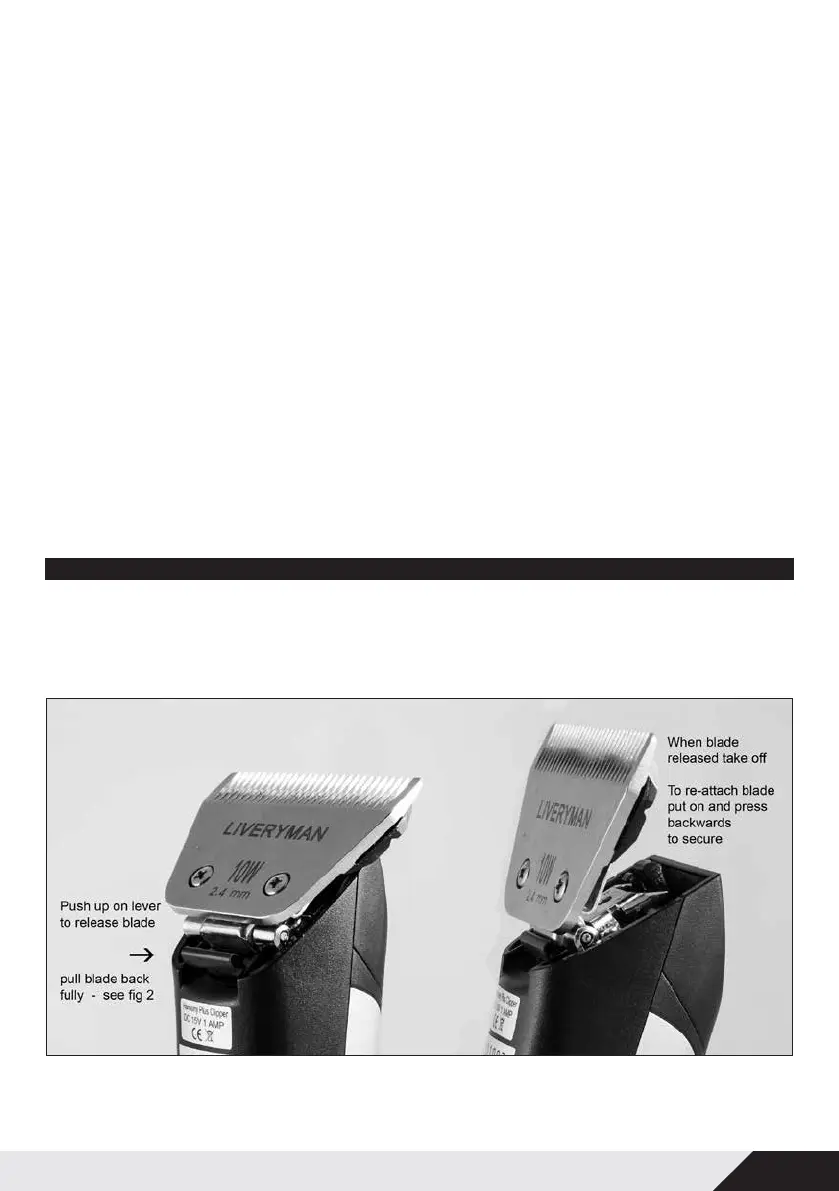
REPLACE THE BLADE
1. To replace blades insert the tongue into the blade socket. Aline the square cut out
in the top cutter blade with the black drive lever and push together.


 To Next Page