Version 7.0
4
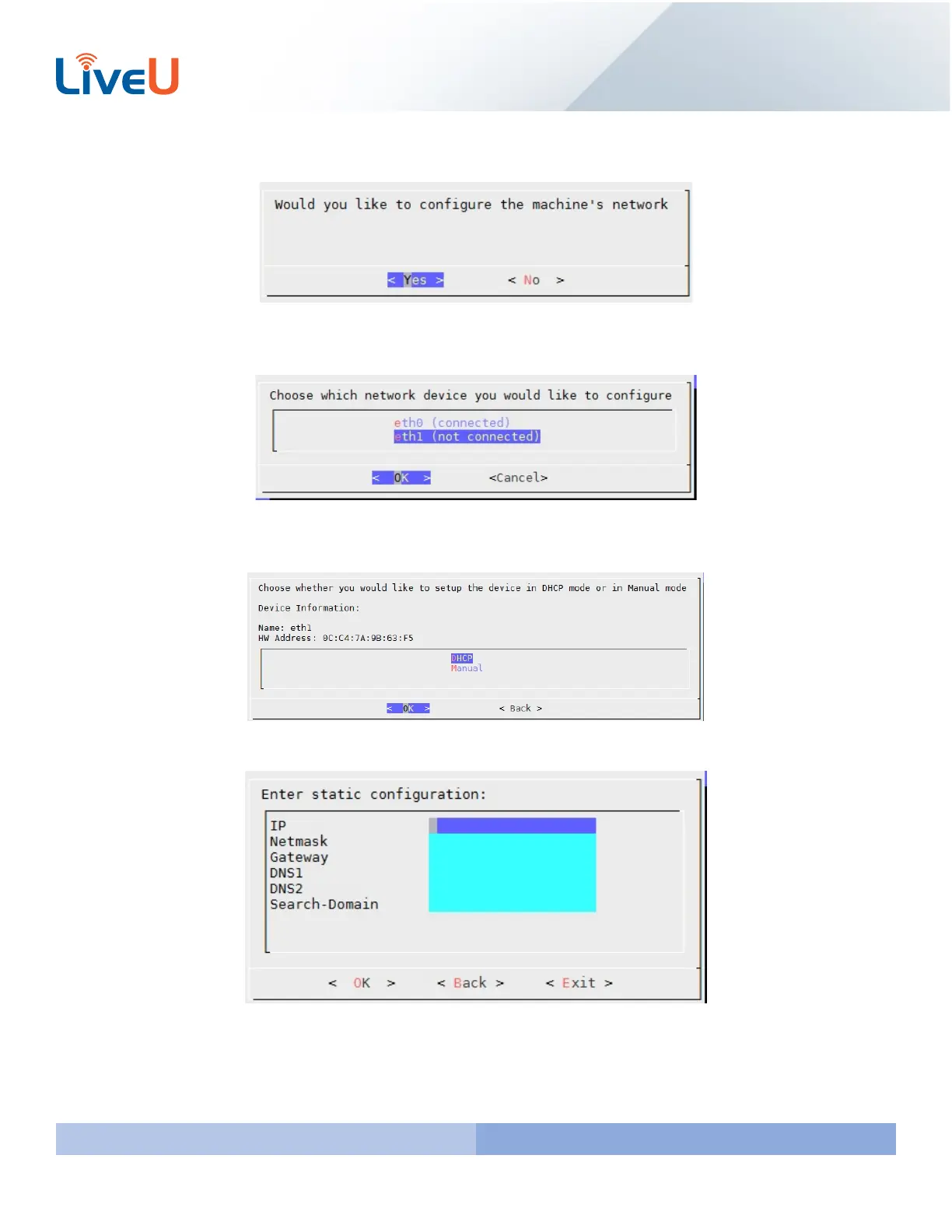
First you will be asked to configure the network of the server. Hover over “Yes” and Press “Enter” to proceed.
Select the ethernet port that you will want to setup. The wizard install will let you know what ethernet port you are
currently connected too. Select the one you want to configure and press “Enter”
You will then be asked if you want to setup the connection for DHCP or Manual. We always recommend setting up a
static connection. The steps below will show you setting up a static IP.
Please fill in the network information and hit “Enter” to continue.



 To Next Page