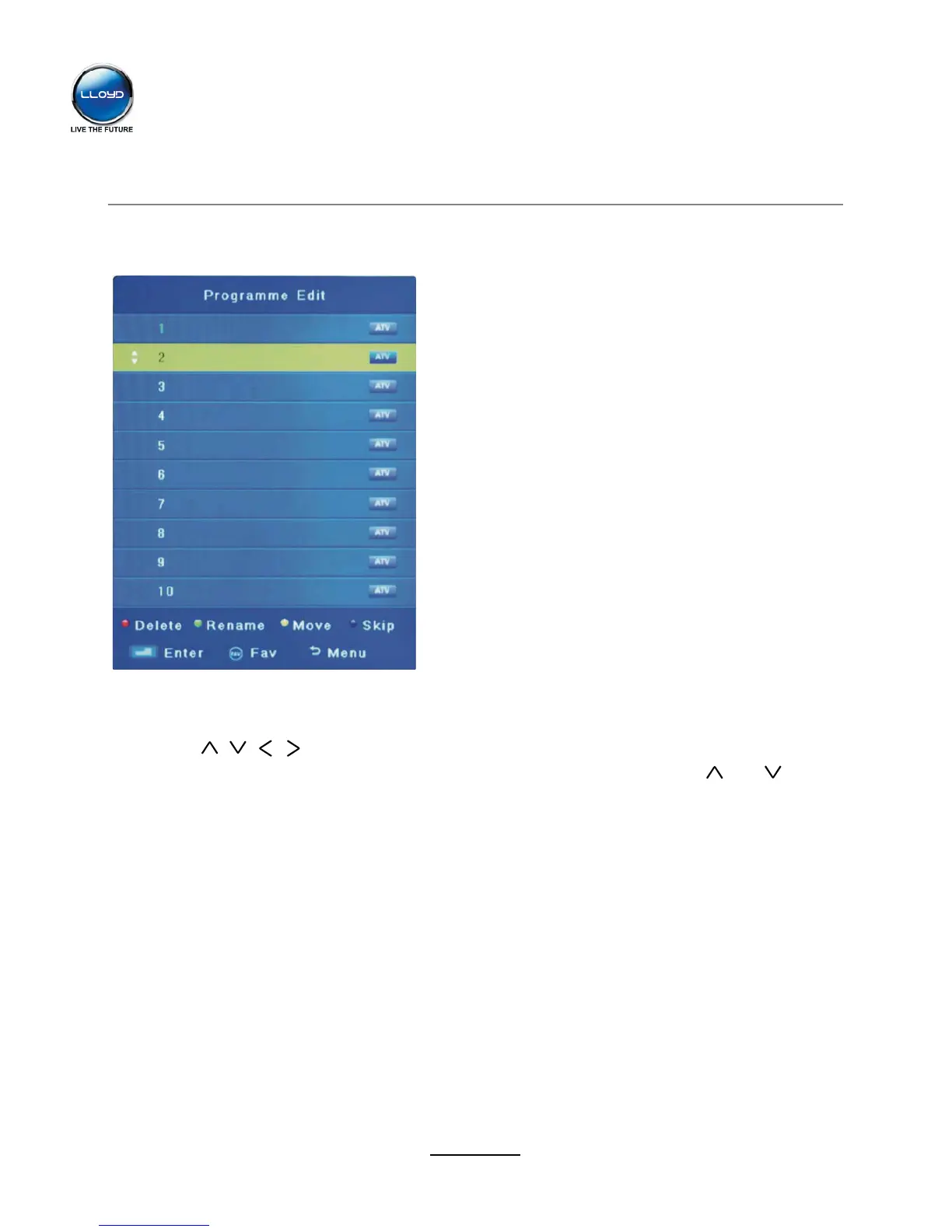
Move: Select an ATV channel, and press YELLOW button, then you can use and buttons
channel by buttons.
OSD Menu
10
Programme Edit
Press OK button to enter the Programme Edit menu as the following picture.
Delete: Select a channel and press RED button to delete.
Rename: Select an ATV channel and press the GREEN button to change the name of the
to change the position of the program, press YELLOW again to confirm the change. Press menu
to exit and it will automatically save the current set.
Skip: Select a channel and press the BLUE button to label the channel, as long as the channel
has a skip label it will be skipped when searching through the channels with the CH+/- buttons.


 To Next Page