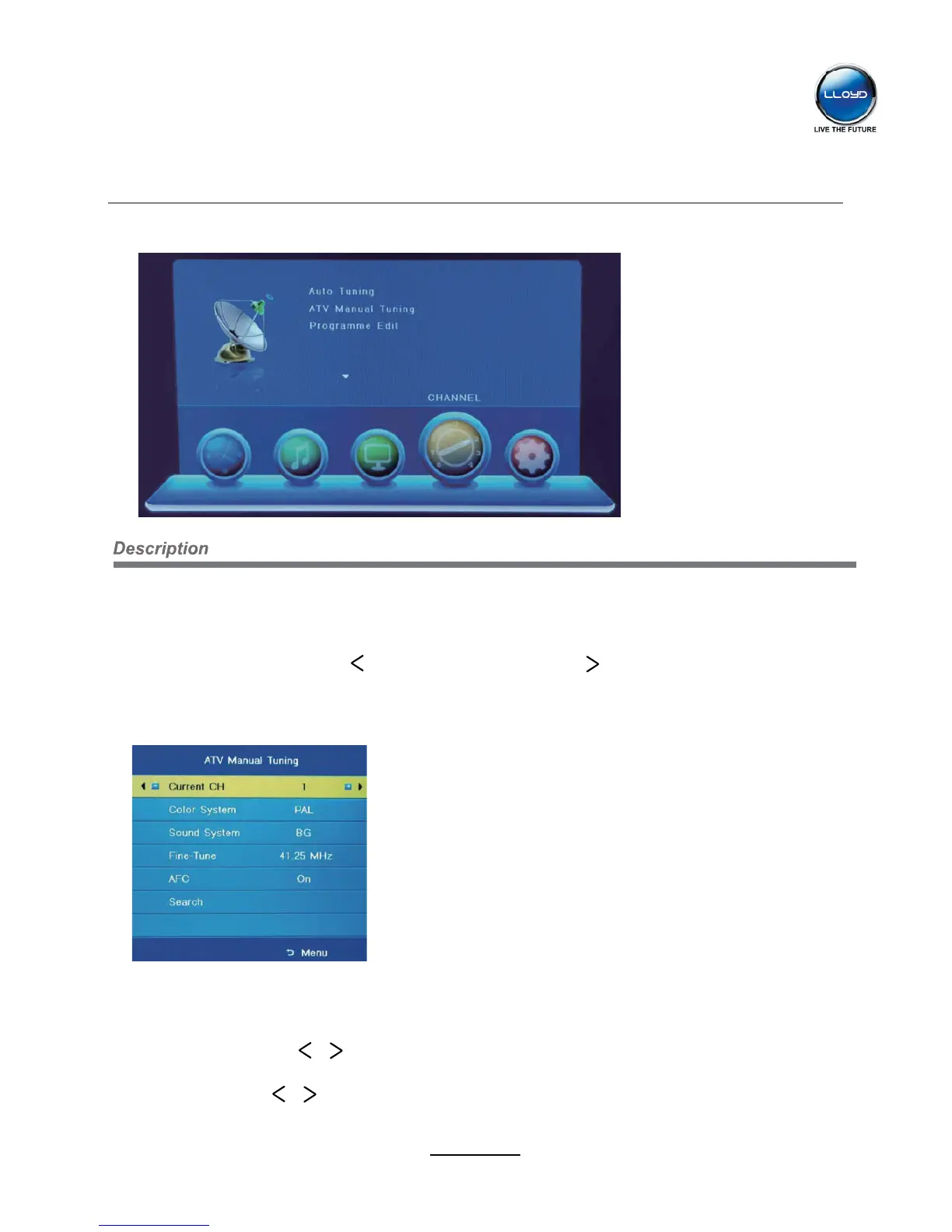
Auto Tuning
Press OK button to start auto tuning.
You could press MENU/EXIT button to exit the process of tuning, there will be a hint on the
screen, and you should press button to confirm, or press button to cancel the operation.
ATV Manual Tuning
Press OK button to enter the ATV Manual Tuning menu.
Current CH: Select a Channel for storing the programme.
Color System: Select from PAL and AUTO
Sound System: Select from I, BG, DK
Search: Press / button to manual search.
Fine Tune: Press / button to fine-tune.
AFC: Automatic Frequency control ON/OFF.
OSD Menu
9
1. CHANNEL menu


 To Next Page