6
LOADRITE™ LP950 Printer User Guide
3 INSTALLATION
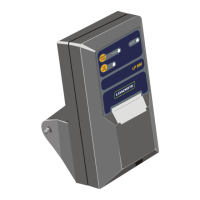
3.1 PRINTER
The Loadrite Printer should be installed at the appropriate
mounting angle, orientation and location to provide optimal
conditions of use by the operator.
The following important rules should be observed:
1. The printer should not be located in direct sunlight or near
any engine compartments which can become excessively
hot. (If necessary a screen should be provided to shade the
unit from direct heat and sunlight).
2. To reduce the risk of entry of dust or moisture into the printer
case:
The unit should be mounted with the mouth of the paper
exit slot in a downwards direction.
Care should be taken that externally accumulated dust,
water and oil etc. does not enter when the lid is opened
to replace the paper roll.
3. The printer should be located in such a way that it does not
hinder the normal operation of the machine controls or the
visibility of the operator.
4. The printer should be located in a position where:
The hinged lid can be opened without restriction, for
replacement of the paper roll or ribbon cartridge.
(The lid is secured with a sprung (not hinged) plastic
clip. Bending this clip back too far may result in its
breakage).
The operator has easy access to the printer to operate
the printer controls.
3.2 ELECTRICAL CONNECTION
All power supply and signal connections to the printer are
contained within the cable and connector assembly. No other
connections are required.
Connection is made by plugging the cable between the socket
located at the rear of the Loadrite Printer and the PRINTER/EDP
socket located at the rear of the Loadrite Weigh Indicator. The
power supply to the printer is switched On and Off by the main
power On/Off to the Loadrite indicator.


 To Next Page