8
LOADRITE™ LP950 Printer User Guide
4 SPECIFICATION
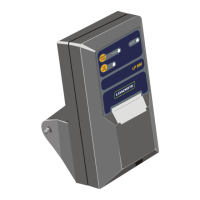
Case
Injection moulded polycarbonate.
Silicon rubber ‘O’ ring sealed.
UV resistant polyester front panel
membrane push buttons.
Environmental
Operating ambient temp -10°C to +50°C.
The unit must not be operated in direct
sunlight.
Relative humidity 20% to 90%.
Splash proof to IP52 (water from above
only).
Weight
With mounting bracket: 1.6kg
Print Method
Dot Matrix impact on plain paper.
Inking by auto-feed, replaceable, ribbon
cassette.
Paper
Standard plain calculator paper, 57mm
wide, up to 57mm diameter roll.
Optional 2 layer NCR paper for duplicate
copy.
Print Format
24 columns, 5x8 dot matrix characters,
1.7 x 2.7mm with one dot (0.37mm)
descender.
Printable Characters
Full ASCII character set, plus extended
set.
Print Speed
1.7 lines/second typical.
Paper Feed
4.0 lines/second typical.
Test Print
All printable alpha-numerical characters
are printed.
Indicator Lamps
LED type: On Line, Out of Paper and
Ready (LP950 only).
Control Buttons
On front panel: On/Off Line, Paper Feed
and Test Print Facility.
Data Input
Serial ASCII, RS232 protocol with ‘printer
ready’ handshake. (Ready line goes ‘low’
when buffer full or printer printing.


 To Next Page