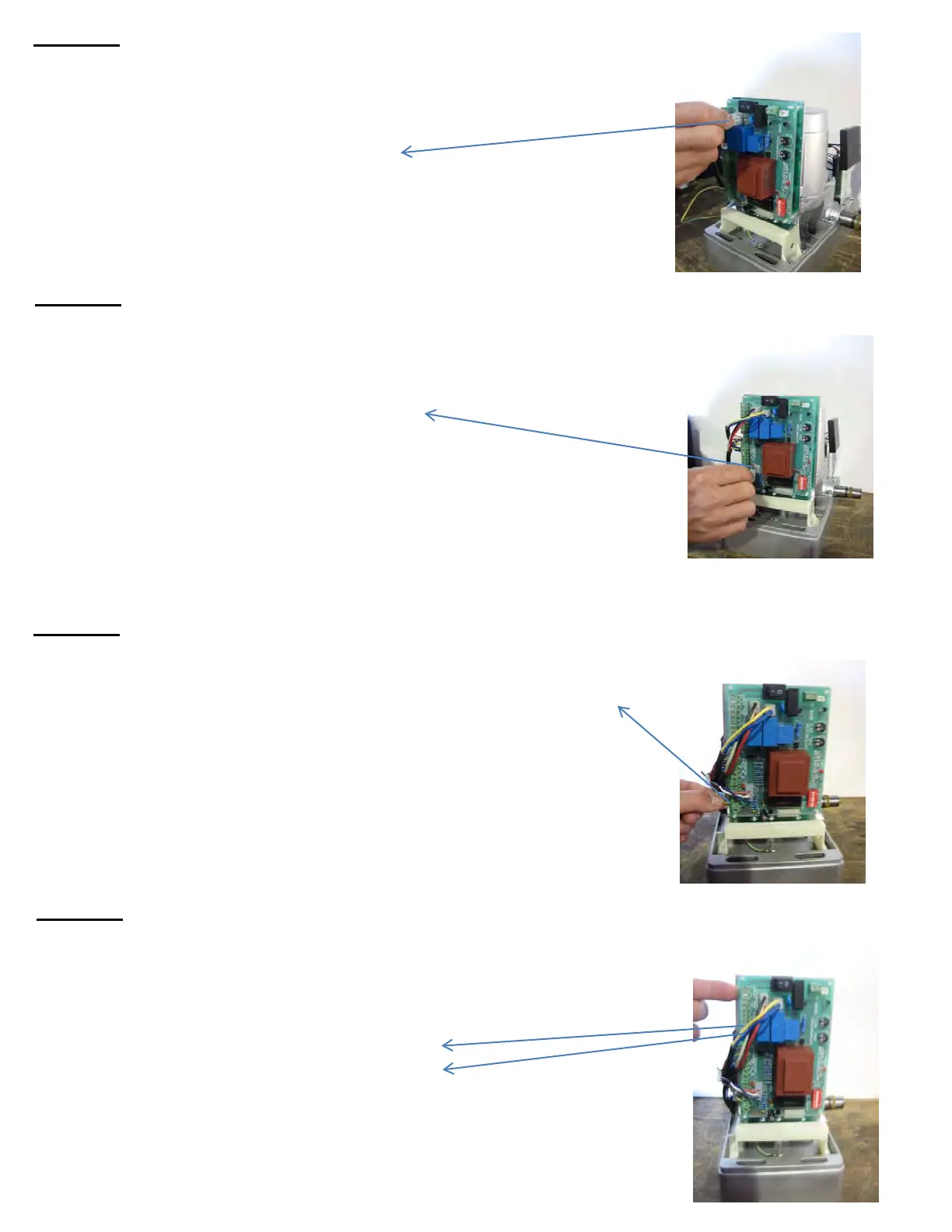
Find the plug with the Blue & Yellow wires on it. Connect the plug on
to the Control Board on the section labeled:
"CAPACITOR"
(as shown on the pic, right)
Find the plug with the Red, White & Blue wires on it. Connect the plug
on to the Control Board on the section labeled:
"LIMIT SWITCH"
(as shown on the pic, right)
Find the wire coming from the bottom of the Motor that is GREEN &
YELLOW. Screw the "Ground Wire" to Terminal #22 on the Control
Board
(as shown on the pic, right)
You are now ready to connect you power wires to your Gate
Opener!
Terminal #1 - POWER
Terminal #2 - NEUTRAL
9



 To Next Page