DKL400UY SLIDING GATE OPERATOR
5
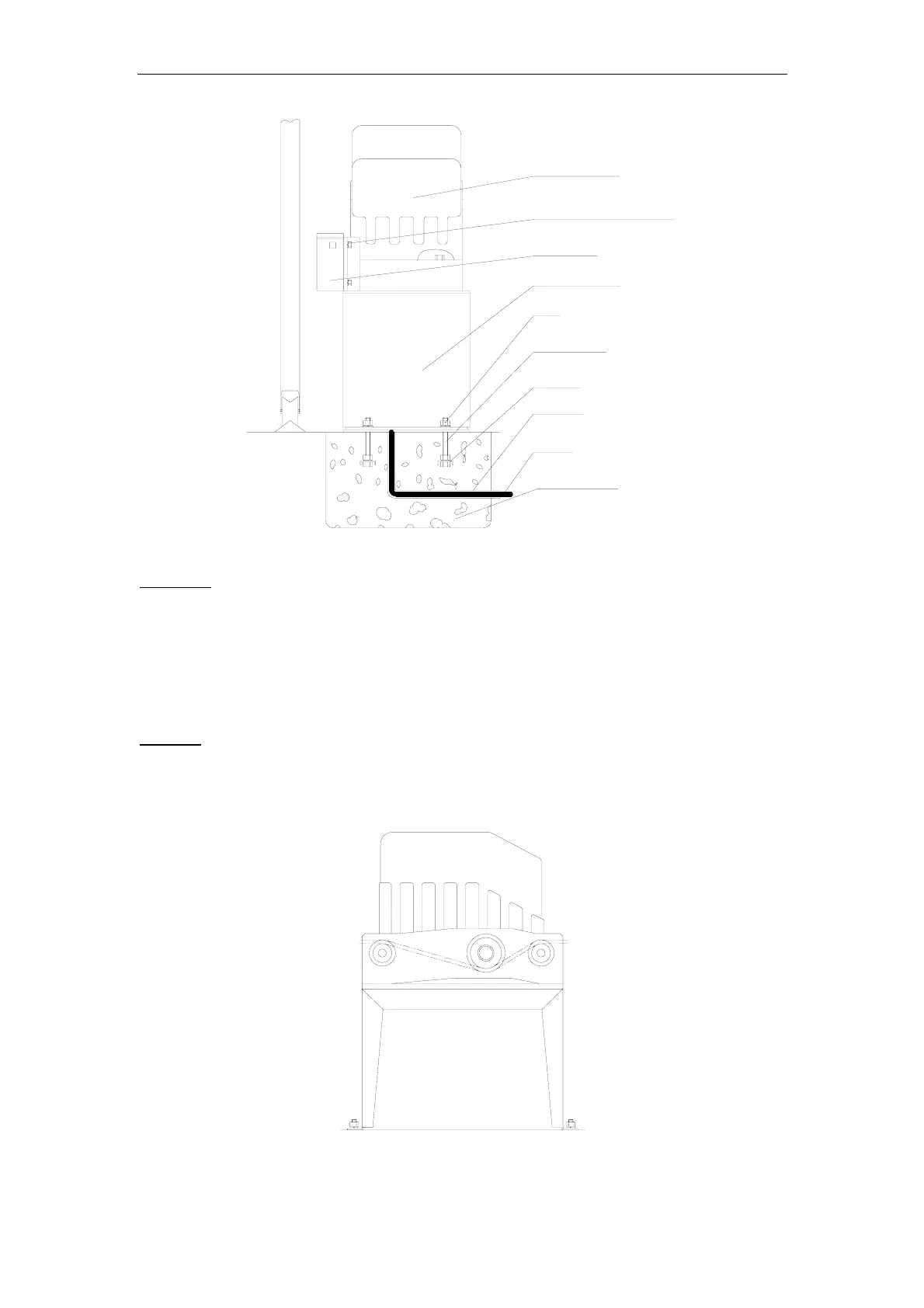
Nut
Anchor
Cable
Anchor bolt
Conduit
Chain box
Socket head cap screw
Concrete pad
Gate operator
Operator base
Fig.2
Chain Box
Make sure the ends of the guide chain are out of the chain holes on both sides of the chain
box. Remove the cover and insert the manual release key and turn counter-clockwise to
disengage the clutch. Remove the elastic band from the shaft and line up the key on the
shaft with the sprocket at the chain box. Insert the sprocket from the chain box into the
operator shaft. Place the operator on top of the base and use (4) 5/8 “ (M8x15mm) socket
head cap screws to mount the chain box in to the base.
Operator
Mount the gate operator to the base using (4) 2 ¾ “ (M8x70mm) #48 bolts and washers.
Make sure there is no more than 1/8” (2mm) of space between the cover and the chain box.
Check the operator and make sure it is lined up with the gate.
Fig.3



 To Next Page