Indexing(a(Network(Share!
To index a local network share, you must first enable the Local Music service from the “Media
Library” area of the web console.
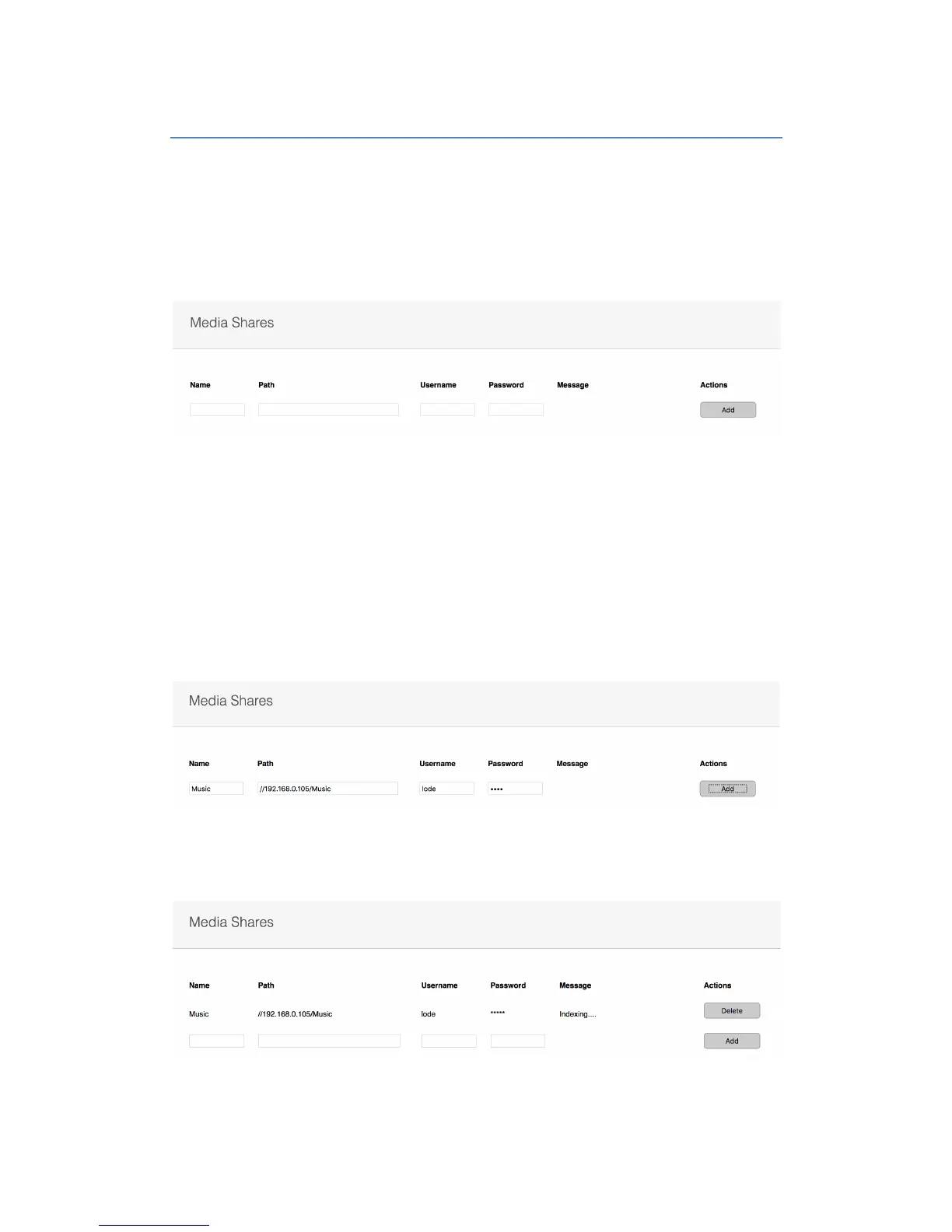
Once the Local Music service has been enabled, you will be presented with a new input area
to add the details of the network share you wish to index.
The Lode server requires an SMB share for mounting. Please ensure that any NAS or
computer share has SMB sharing enabled.
The share only needs read access.
Note. If using a NAS that has a network recycle bin, please ensure that all recycle bin
functionality is turned off as this can cause issues when deleting and adding new media.
To add the share to Lode, give the share a name, path and username / password if required.
Paths should be specified as //IP-ADDRESS/SHARE NAME
Once the share details have been added, click the “Add” button and you should receive a
message telling you that the share is now indexing.
The Lode server will re-index the share every 60 seconds.


 To Next Page