14 We. HEAR 1
english
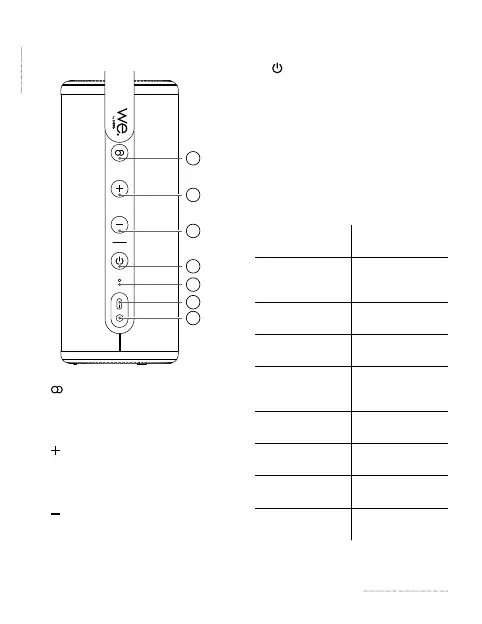
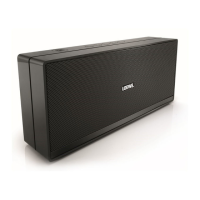
2 Speaker parts
1
2
3
5
6
7
4
1. (Pair) buon – press once to
start / cancel TWS pairing. Press and
hold to disconnect from the paired
Bluetooth device.
2.
buon – press to increase the
volume level. In the Bluetooth
mode, press and hold to skip to the
next track.
3.
buon - press to decrease the
volume level. In the Bluetooth
mode, press and hold to jump to the
previous track.
4.
(Power) buon – Press and hold
to turn on / o the speaker. Press
once to pause/resume current track.
5. Microphone
6. USB Type-C connector – connecon
for charger
7. AUX – 3,5 mm analogue audio input
Explanaon of states for power buon
backlighng:
LED indicator
state
Status
Blue LED ashes
Speaker is in
Bluetooth pairing
mode
Blue LED is on
Connected via
Bluetooth
White LED
ashes
Speaker is in TWS
pairing mode
White LED is on
Paired via TWS
with another
speaker
Green LED is on
Connected via
audio cable
Red LED ashes
Baery level is
very low
Red LED is on
Baery is being
charged
LED is o
Speaker is turned
o




 To Next Page