EasyManua.ls Logo

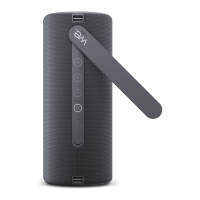
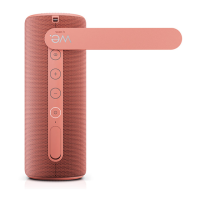
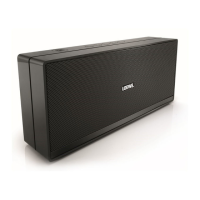
Loewe We. HEAR 2 - User Manual

Loewe We. HEAR 2
220 pages
Go to English
Print Icon
To Next Page IconTo Next Page
Loading...
We. HEAR 2
Umfassendes Benutzerhandbuch
Comprehensive user guide
Uitgebreide gebruikershan-
dleiding

Guida utente completa
Guía completa del usuario





-

Bendrasis naudojimo vadovas
Üldine kasutusjuhend



Detaljert bruksanvisning


Udhëzues gjithëpërfshirës i
përdoruesit






󰑺󰒅󰉼󰍸󰑬󰉲󰒁󰉲󰌮󰋽󰊮
󰍬
󰕟󰉲󰑺󰘷󰑬󰌟

󰂌󰁽󰂎󰂌󰁽󰁺󰂃󰁶󰂉󰁽󰁷󰁶󰂋󰁮󰁽󰁯
See full
manual online

Table of Contents

Questions and Answers

  • K
    Kenneth StoneAug 6, 2025
    Why is the charging time so long for my Loewe We. HEAR 2 Speakers?
    • E
      Eric ParkerAug 6, 2025
      If your Loewe Speakers are taking too long to charge, the issue might be with your USB charger. If it's supplying too low current, switch to a 5V/2A USB charger.
  • C
    Carly HarrisAug 14, 2025
    What to do if there is no sound from my Loewe Speakers?
    • P
      Pamela MolinaAug 15, 2025
      If you're not getting any sound from your Loewe Speakers, here are a couple of things to check: * First, make sure the volume isn't too low or muted. Try pressing the volume (+) button a few times or increasing the volume on your connected device. * Second, confirm that your device is properly paired with the speaker. If not, pair and connect your Bluetooth device.
  • L
    Lori BrownAug 25, 2025
    Why is the sound distorted on my Loewe We. HEAR 2 Speakers?
    • D
      Deborah DuncanAug 26, 2025
      If the sound from your Loewe Speakers is distorted, it might be due to a couple of reasons: * Your Bluetooth device could be too far from the speaker. Try moving your device closer. * There might be wireless interference. Move the speaker away from other wireless devices.

Summary

Thank You

Intended Use

Scope of Delivery

Documentation and Online Manual

Important Safety Instructions

Symbol Explanations

Details the meaning of various warning symbols used throughout the manual.

Operational Safety Guidelines

Covers precautions for heat, environment, thunderstorms, and damage-related repairs.

Battery Safety and Handling

Provides guidance on battery maintenance, safe charging, and replacement.

EU Declaration of Conformity

FCC Compliance Information

IC Compliance Information

Disposal Instructions

Licenses and Trademarks

Speaker Parts and Controls

Button Functions Overview

Explains the functions of pairing, volume, track control, and power/playback buttons.

Microphone and Connectivity Ports

Details the built-in microphone and connectivity ports (USB-C, AUX).

Bluetooth Connection Guide

TWS Stereo Pairing

Bluetooth Phone Calls

AUX Audio Connection

Battery Management

IPX6 Water Protection

Troubleshooting Common Issues

Technical Specifications

Loewe We. HEAR 2 Specifications

General IconGeneral
TypePortable Bluetooth Speaker
BluetoothYes
Wi-FiNo
Battery Life17 hours
Speaker TypeStereo
Bluetooth Version5.0
Water ResistanceIPX6
Power SourceBattery
ColorsCoral Red, Aqua Blue

Related product manuals