EasyManua.ls Logo

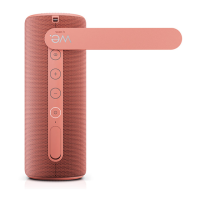
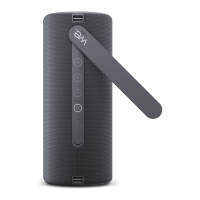
Loewe We. HEAR 2 - Bluetooth Connection Guide; TWS Stereo Pairing

Loewe We. HEAR 2
Print Icon
To Next Page IconTo Next Page
To Previous Page IconTo Previous Page
Loading...
We. HEAR 2 15
english
 
1. Press and hold 
turn on the speaker.
2. -
er, it will be in Bluetooth pairing


blue colour.
3. 
search for and pair with
“We. HEAR 2” in the Bluetooth
menu.
4. 
music, change the volume and
select tracks.
5. 
volume and select tracks using the


speaker within 10 minutes, the speaker




4





stereo mode, which means that one



1. Put both speakers close to each
other.
2. 
3. Press the





4. Press the

second speaker. It takes on the role



5. 
on the right channel speaker stops

successful pairing progress.
 
search for and pair with
“We. HEAR 2” in the Bluetooth
menu.
7. 
music, change the volume and
select tracks.
8. 
volume and select tracks using the







Table of Contents

Related product manuals