We. HEAR 1 15
english
3 Bluetooth connecon
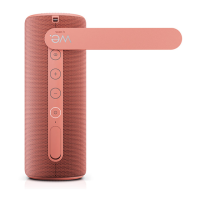
1. Press and hold (Power) buon to
turn on the speaker.
2. The rst me you turn on the speak-
er, it will be in Bluetooth pairing
mode. This condion is indicated
by the power buon ashing by
blue colour.
3. Turn on your Bluetooth device and
search for and pair with
“We. HEAR 1” in the Bluetooth
menu.
4. Use your Bluetooth device to play
music, change the volume and
select tracks.
5. Alternavely, you can control the
volume and select tracks using the
speaker buons.
Note: If no device is paired with the
speaker within 10 minutes, the speaker
will turn o automacally.
To disconnect the speaker from your
device: Press and hold
(Pair) buon.
4
TWS (True Wireless Stereo)
If you have two pieces of the same type
of speaker, you can pair them together
and play Bluetooth music on both at
the same me. The speakers will be in
stereo mode, which means that one
speaker will play the le channel and
the other the right channel. To pair two
speakers together:
1. Put both speakers close to each
other.
2. Turn on both speakers.
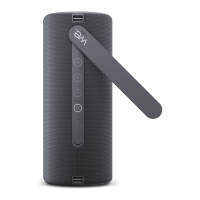
3. Press the
(Pair) buon on the
rst speaker. It takes on the role of
the le channel. The white LED will
ash to conrm that the speaker
has entered TWS pairing mode.
4. Press the
(Pair) buon on the
second speaker. It takes on the role
of the right channel. The white LED
will ash to conrm that the speaker
has entered TWS pairing mode.
5. Aer a few seconds, the white LED
on the right channel speaker stops
ashing and stays lit. This conrms a
successful pairing progress.
6. Turn on your Bluetooth device and
search for and pair with
“We. HEAR 1” in the Bluetooth
menu.
7. Use your Bluetooth device to play
music, change the volume and
select tracks.
8. Alternavely, you can control the
volume and select tracks using the
speaker buons.
To cancel TWS and use the speakers
separately: Press
(Pair) buon. The
white backlight of the power buon
turns o on both speakers.




 To Next Page