Sound & Electronics LOG GmbH | Sankt-Georgen-Gasse 7, 8020 Graz, Austria | ofce@logaudio.com | www.logaudio.com
1
IMAGE
User Manual
Delivered items
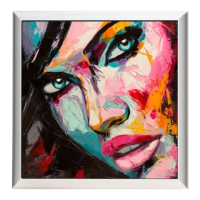
1 x IMAGE
1 x Fabric cover (printed)
1 x Power cable
Installation
- As an active speaker, the IMAGE requires its own power supply. To do this, connect your IMAGE speaker to your
power outlet with the delivered power plug.
- The fabric cover can be easily attached or removed.
- The IMAGE is only suitable for wall mounting. Before mounting, make sure the wall on which the IMAGE is to be
mounted is strong enough to support the unit. In case of doubt, please contact a specialist. To attach the IMAGE to
the wall it is necessary to mount two suitable brackets (screws or similar) at a distance of 34 cm from the wall. First
connect your IMAGE to the power before you hang it on the wall, as this is more difcult to do afterwards.
Connecting external audio sources
The IMAGE wall speaker has both a digital and an analog connection to play audio signals.
Digital input with PROLOG
For maximum performance and lossless digital signal transmission, it is recommended to use a PROLOG Control Unit
(PROLOG 2, PROLOG 8) as source. To do so, connect your IMAGE speaker to your PROLOG with an XLR audio cable. The
PROLOG 2 offers streaming (Bluetooth, AirPlay® and DLNA), an optical digital input (TOSLINK) as well as analog inputs
(RCA) with a high-quality analog-to-digital converter.
Analog input
External, analog devices can be connected to the analog XLR input of the device.
Switching the inputs
Switching the inputs is not necessary with the IMAGE. Both input signals (analog and digital) are played automatically.
Be careful not to accidentally play multiple sources at the same time.


 To Next Page