Sound & Electronics LOG GmbH | Sankt-Georgen-Gasse 7, 8020 Graz, Austria | ofce@logaudio.com | www.logaudio.com
4
IMAGE
User Manual
Pairing the remote control
At factory settings, the remote control is not paired with the PROLOG 2. If you have several remote controls of the same
type, pairing is useful to avoid conicts.
1. Use a pen or a straightened paper clip to press the pairing button on the back of the PROLOG
2. The device is now in pairing mode for 30 seconds
3. Now press any key on the desired remote control (e.g. the “Mute“-key)
4. The device is now paired with this remote control and accepts only commands from this remote control
Note: If the PROLOG 2 does not receive any command from a remote control during the 30 seconds it is in pairing mode,
the pairing is canceled and the PROLOG 2 accepts commands from any remote control of the same type.
Wake-up function
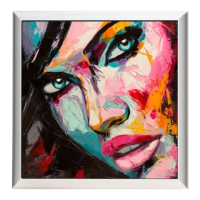
In case of inactivity, the IMAGE automatically activates the standby mode after a while to avoid unnecessary power
consumption. The automatic wake-up functionality automatically reactivates the IMAGE wall speaker when there is
an incoming audio signal. Accordingly, the loudspeakers can remain permanently connected to the power connection
without affecting the energy consumption or the lifetime of the product.
Sound optimization
In order to achieve an optimal sound experience, it is advisable to observe the following points:
- Mount your IMAGE wall speakers on the wall - they are designed and optimized for this application.
- Your IMAGE wall speakers offer a unique, lossless music reproduction – especially in combination with a PROLOG.
It is therefore advisable to play high-resolution music les or uncompressed formats (such as WAV or Apple
Lossless).
- Make sure your room has adequate acoustic damping. Too much reverb negatively affects the music signal.
Curtains, upholstered furniture or carpets can support good room acoustics and contribute to a pleasant damping.
- For the best possible sound quality, the entire signal routing should be digital. Use the digital audio input of your
PROLOG to attach various sources and connect the IMAGE and PROLOG via the digital XLR connectors. This
ensures lossless signal transmission.
Note: There are no rules that apply to all environments. Nevertheless, it is advisable to consider the above points.
Saftey instructions
Please observe the safety instructions when using the IMAGE, otherwise warranty claims may expire.
- Do not expose to rain or moisture. There is a risk of re and the risk of damage.
- Do not use near liquids (bathtub, etc.).
- Do not place burning objects (candles, etc.) next to or on the speaker.
- Do not place near heat sources.
- Use only with original manufacturer accessories.
- Do not connect the speaker during thunderstorms.


 To Next Page