EasyManua.ls Logo

Logia LOGLP300 - Driver Installation and Setup; Initial Setup and Connection Steps

Logia LOGLP300
20 pages
Print Icon
To Next Page IconTo Next Page
To Previous Page IconTo Previous Page
Loading...
@
DRIVER
INSTALLATION
AND
SETUP
Getting
Started
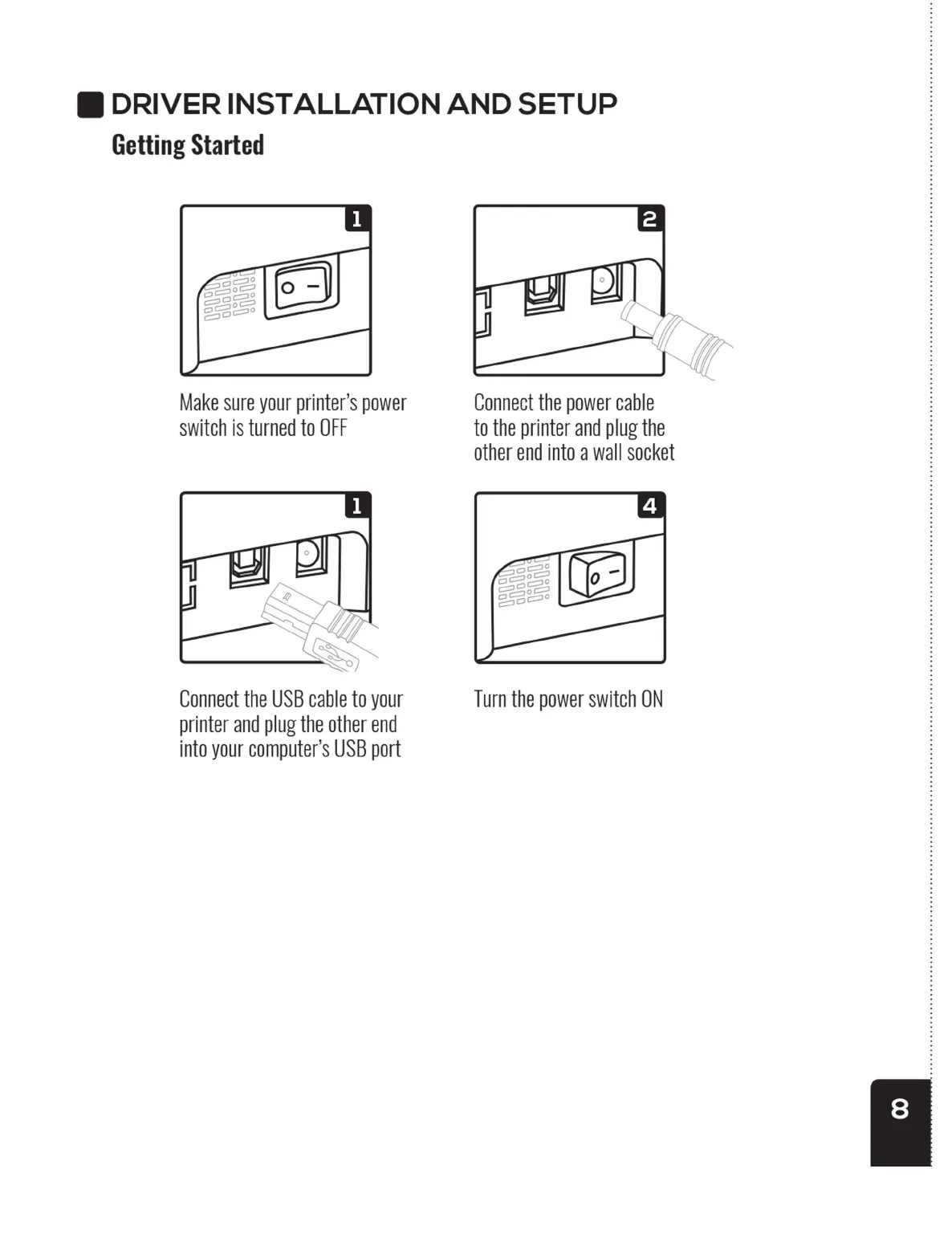
Make
sure
your
printer’s
power
switch
is
turned
to
OFF
|
Connect
the
USB
cable
to
your
printer
and
plug
the
other
end
into
your
computer's
USB
port
\
Connect
the
power
cable
to
the
printer
and
plug
the
other
end
into
a wall
socket
Turn
the
power
switch
ON
@
DRIVER
INSTALLATION
AND
SETUP
Getting
Started
Make
sure
your
printer’s
power
switch
is
turned
to
OFF
|
Connect
the
USB
cable
to
your
printer
and
plug
the
other
end
into
your
computer's
USB
port
\
Connect
the
power
cable
to
the
printer
and
plug
the
other
end
into
a wall
socket
Turn
the
power
switch
ON
@
DRIVER
INSTALLATION
AND
SETUP
Getting
Started
Make
sure
your
printer’s
power
switch
is
turned
to
OFF
|
Connect
the
USB
cable
to
your
printer
and
plug
the
other
end
into
your
computer's
USB
port
\
Connect
the
power
cable
to
the
printer
and
plug
the
other
end
into
a wall
socket
Turn
the
power
switch
ON