EasyManua.ls Logo

Logia LOGLP300 - Windows Printer Configuration

Logia LOGLP300
20 pages
Print Icon
To Next Page IconTo Next Page
To Previous Page IconTo Previous Page
Loading...
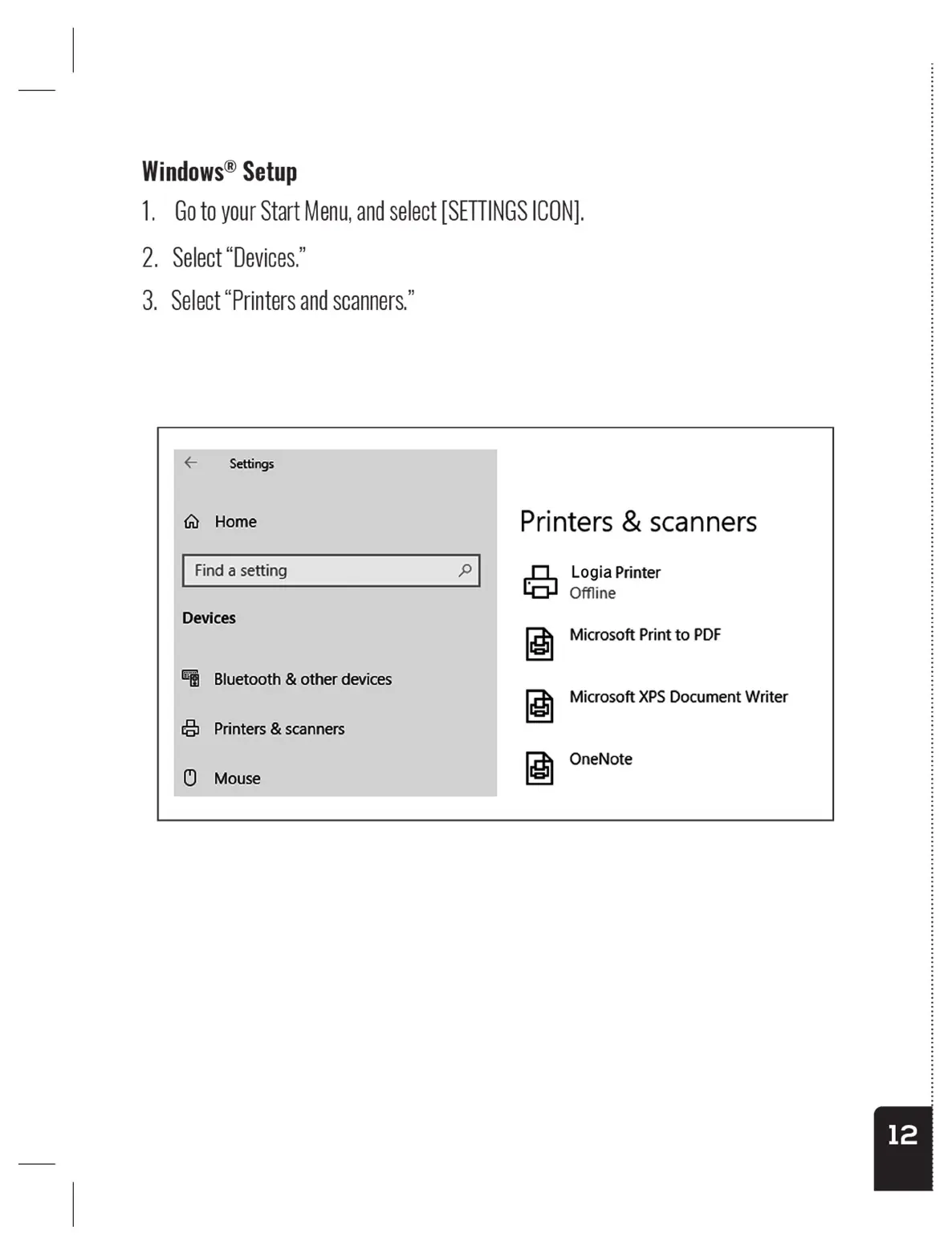
Windows®
Setup
1.
Goto
your
Start
Menu,
and
select
[SETTINGS
ICON].
2.
Select
“Devices.”
3.
Select
“Printers
and
scanners.”
Settings
fy
Home
Find
a setting
Devices
&%
Bluetooth
&
other
devices
ce
Printers
&
scanners
©
Mouse
Printers
&
scanners
Logia
Printer
Offline
+
Microsoft
Print
to
PDF
os
|
ty
Microsoft
XPS
Document
Writer
lo
|
FE
OneNote
Windows®
Setup
1.
Goto
your
Start
Menu,
and
select
[SETTINGS
ICON].
2.
Select
“Devices.”
3.
Select
“Printers
and
scanners.”
Settings
fy
Home
Find
a setting
Devices
&%
Bluetooth
&
other
devices
ce
Printers
&
scanners
©
Mouse
Printers
&
scanners
Logia
Printer
Offline
+
Microsoft
Print
to
PDF
os
|
ty
Microsoft
XPS
Document
Writer
lo
|
FE
OneNote