25
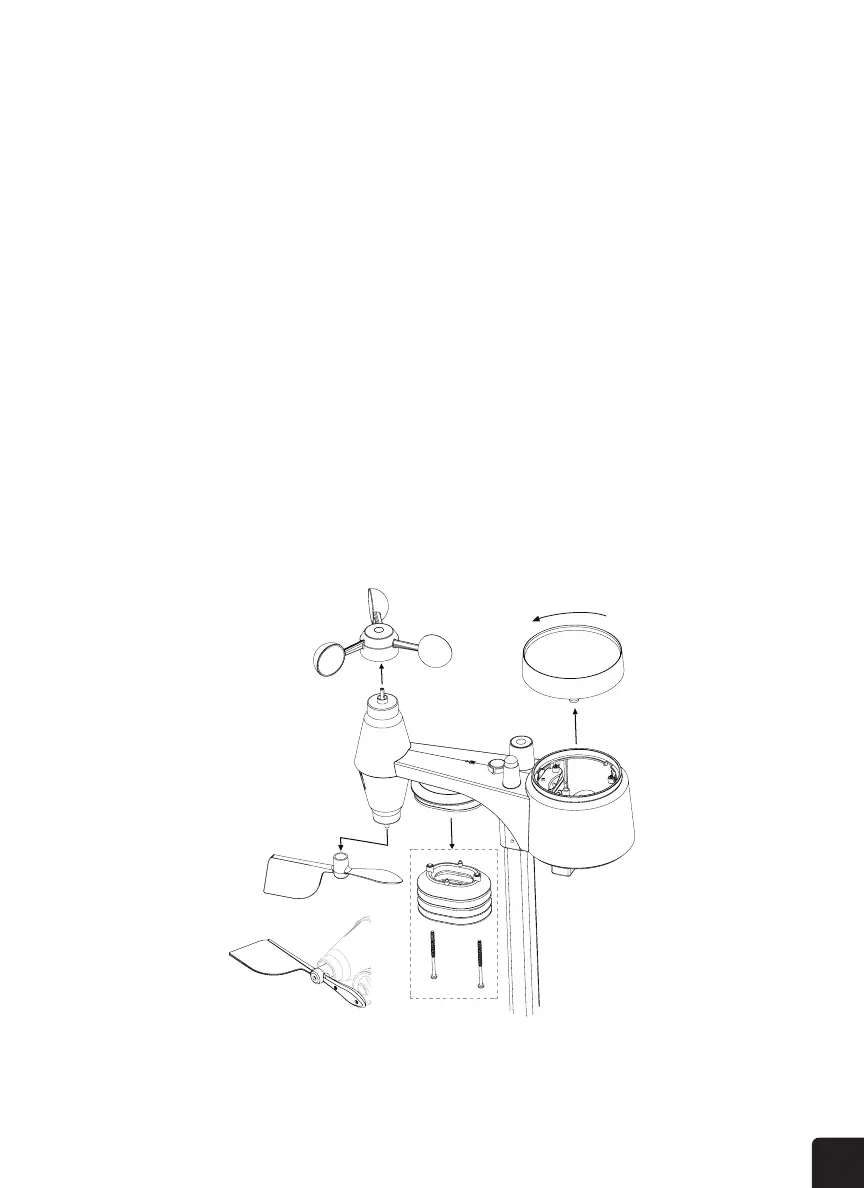
3. Clean and remove any debris or insects from the rain collector.
4. Install the rain collector when it is clean and fully dried.
CLEANING THE UV SENSOR AND CALIBRATION
• For precision UV measurement, gently clean the UV sensor cover lens with a damp micro-ber cloth.
• Over time, the UV sensor will naturally degrade. The UV sensor can be calibrated with a utility grade
UV meter.
CLEANING THE HYGRO-THERMO SENSOR
1. Remove the two (2) screws at the bottom of the radiation shield.
2. Gently remove the shield.
3. Carefully remove any dirt or insects on the sensor fan (do not let the sensors inside get wet).
4. Clean the shield with water to remove any dirt or insects.
5. Install all the parts back when they are clean and fully dried.



 To Next Page