25
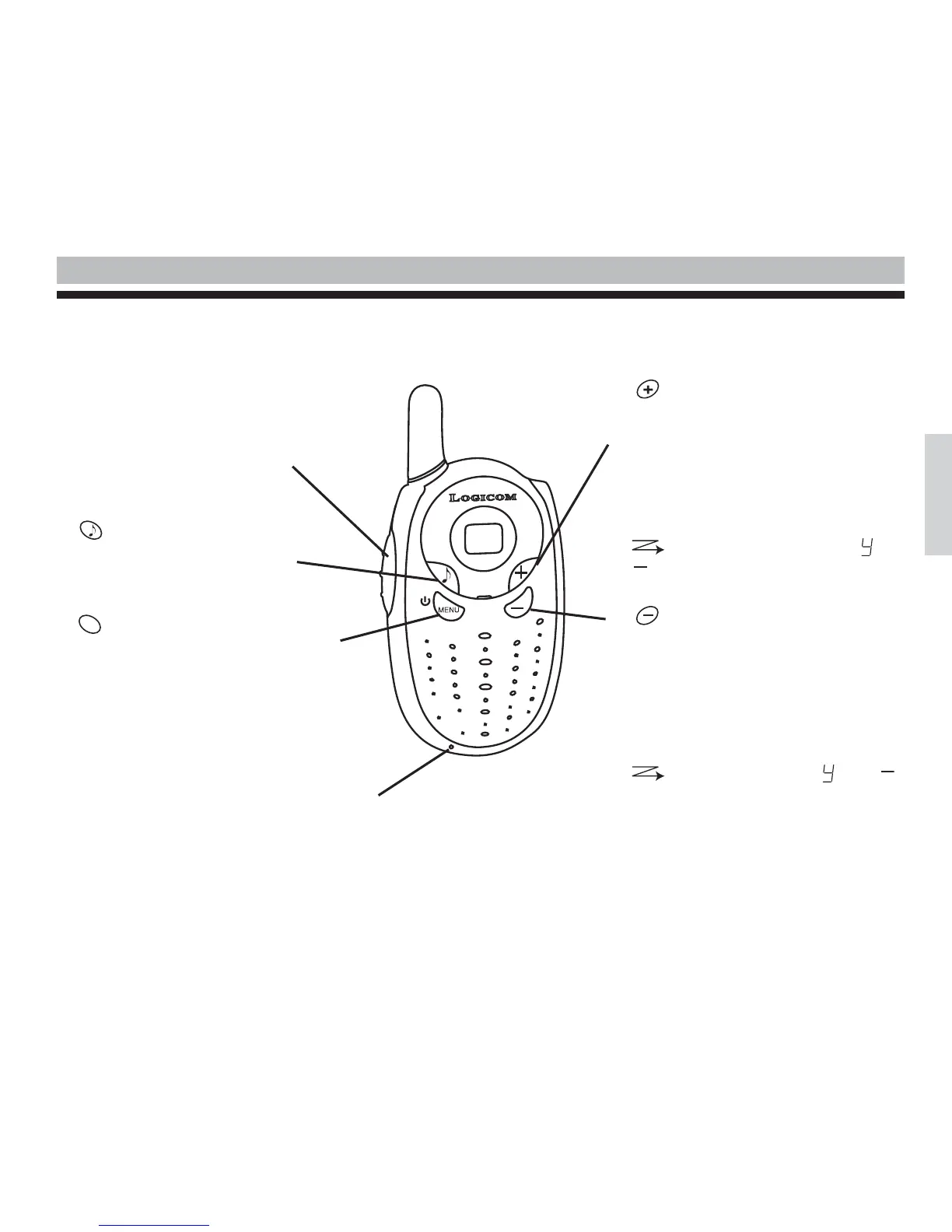
Diagram of the 2 way radio
1 Press to Speak (PTT)
• Press to speak, release to receive.
• In menu mode, press to confirm your
selection.
2
• Press briefly to send a call tone.
3
• Press for longer to turn the radio on or
off.
• Press briefly to open the menu mode:
- Press once to change the channel
- Press twice to turn the scanner on or
off.
- Press three times to monitor activity on
the channel.
4
• Increases the volume (the volume level
flashes and v is displayed)
• In menu mode, changes to a higher
channel (the number of the channel
flashes)
• In menu mode, turns the scan on or off,
is displayed, as well as or
which flashes.
5
• Decreases the volume (the volume level
flashes and v is displayed.)
• In menu mode, changes to a lower
channel (the number of the channel
flashes)
• In menu mode, turns the scan on or off,
is visible as well as or
which flashes.
MENU
English
Concerns only the FX 200:
Outlet socket for battery charging.



 To Next Page