Devices monitoring
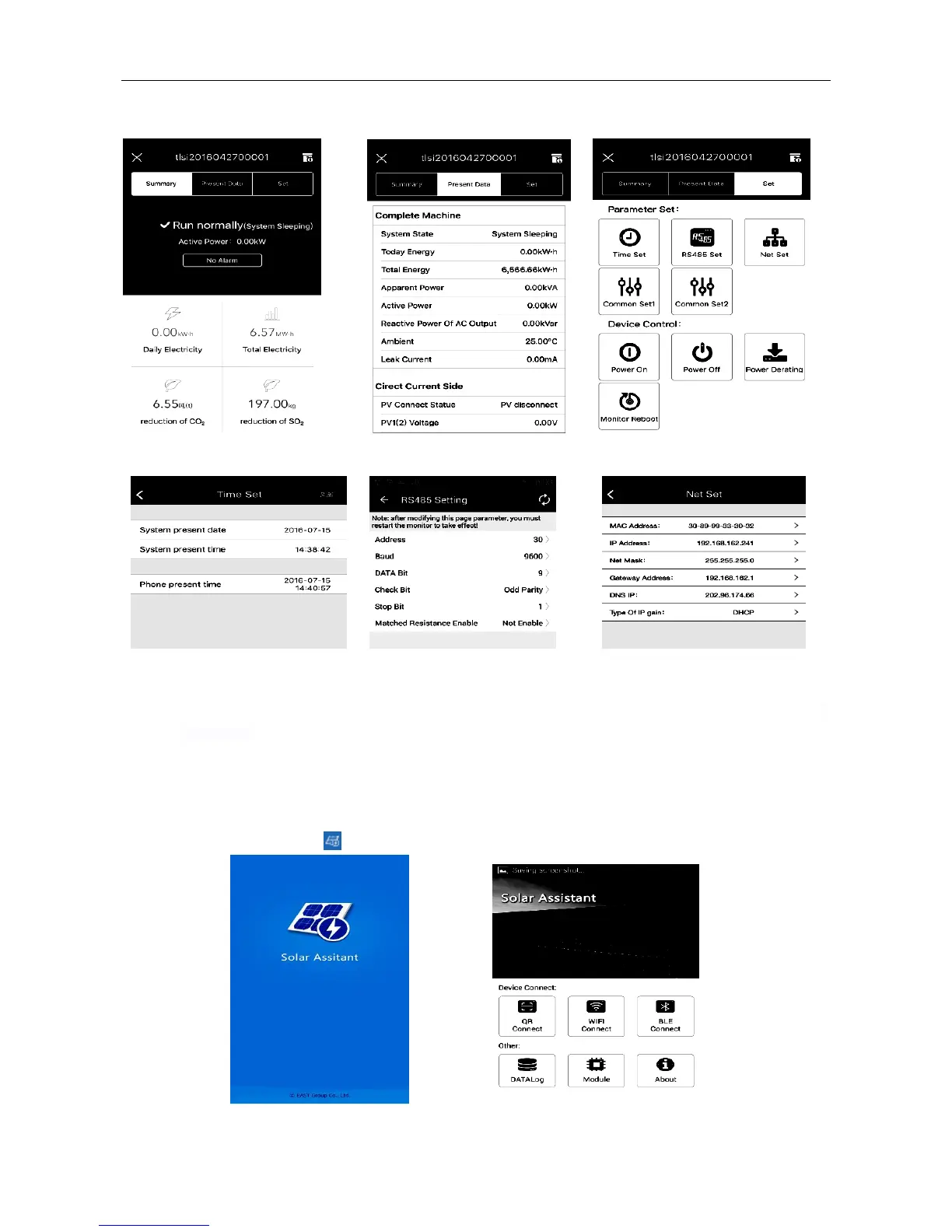
Device data and remote control equipment can be viewed via App after connecting successfully.
Fig. 19 Summary Fig. 20 Present data Fig. 21 Devices Set
Fig. 22 Time Set Fig. 23 RS485 Setting Fig. 24 Net Set
Notice:“Net Set” in the above figure indicates the wired network card address for setting string inverters, which is
irrelevant to Wi-Fi address.
7.3 Operation of Solar Assistant APP(ANDROID)
Startup
Find Solar Assistant icon ( ) in desktop and click it.
Fig. 25 Welcome window Fig. 26 Home



 To Next Page