Step 4:Checking whether the connection is successful or not
It will enter main interface after the third step.
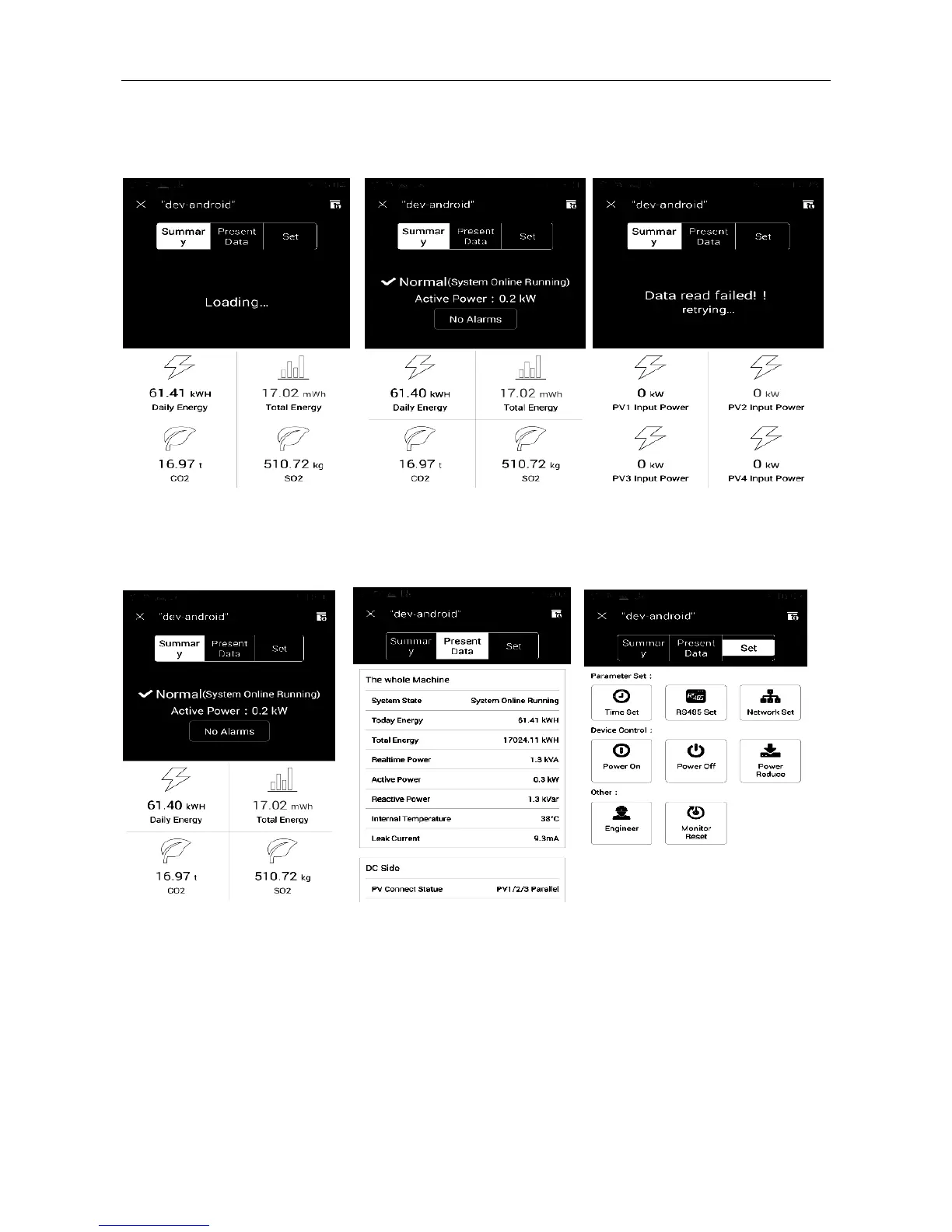
If all runs normally, the homepage displays normal datas, as shown in Fig. 31 and Fig 32, if not, it displays “data
read failed” in 15 seconds, as shown in Fig. 33.
Fig. 31 Loading Fig. 32 Run normally Fig. 33 Data read failed
Devices monitoring
Device data and remote control equipment can be viewed via App after connecting successfully.
Fig. 34 Summary Fig. 35 Present Data Fig. 36 Devices Set



 To Next Page