12 ENGLISH
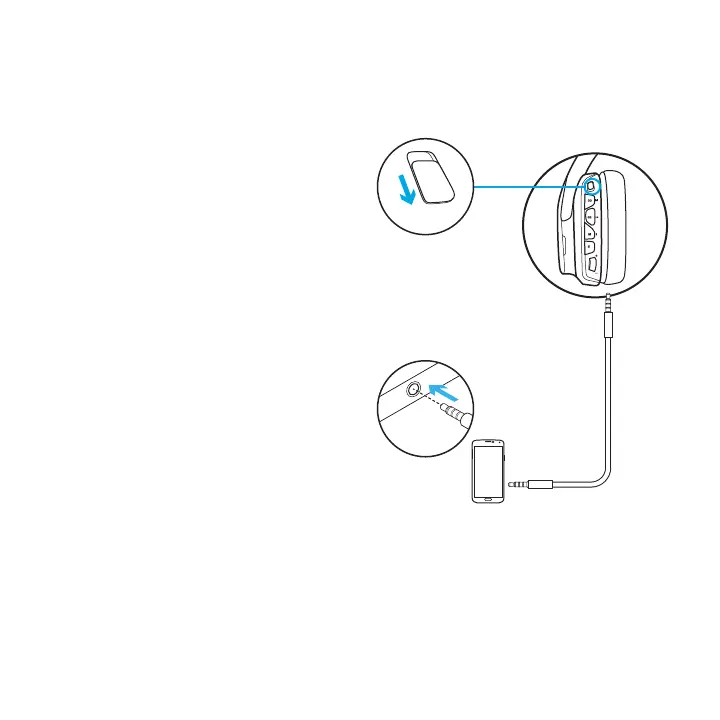
SETUP FOR MOBILE
1. Set switch to Wireless O mode
for passive audio mode, or set to
Wireless On mode for active audio mode
with additional features (see “Wireless
On/O” section).
2. Connect the headset to the mobile
device via the 3.5mm cable.
Boom microphone is only available
in Wireless On mode.
3.5mm
OFF
1
2



 To Next Page