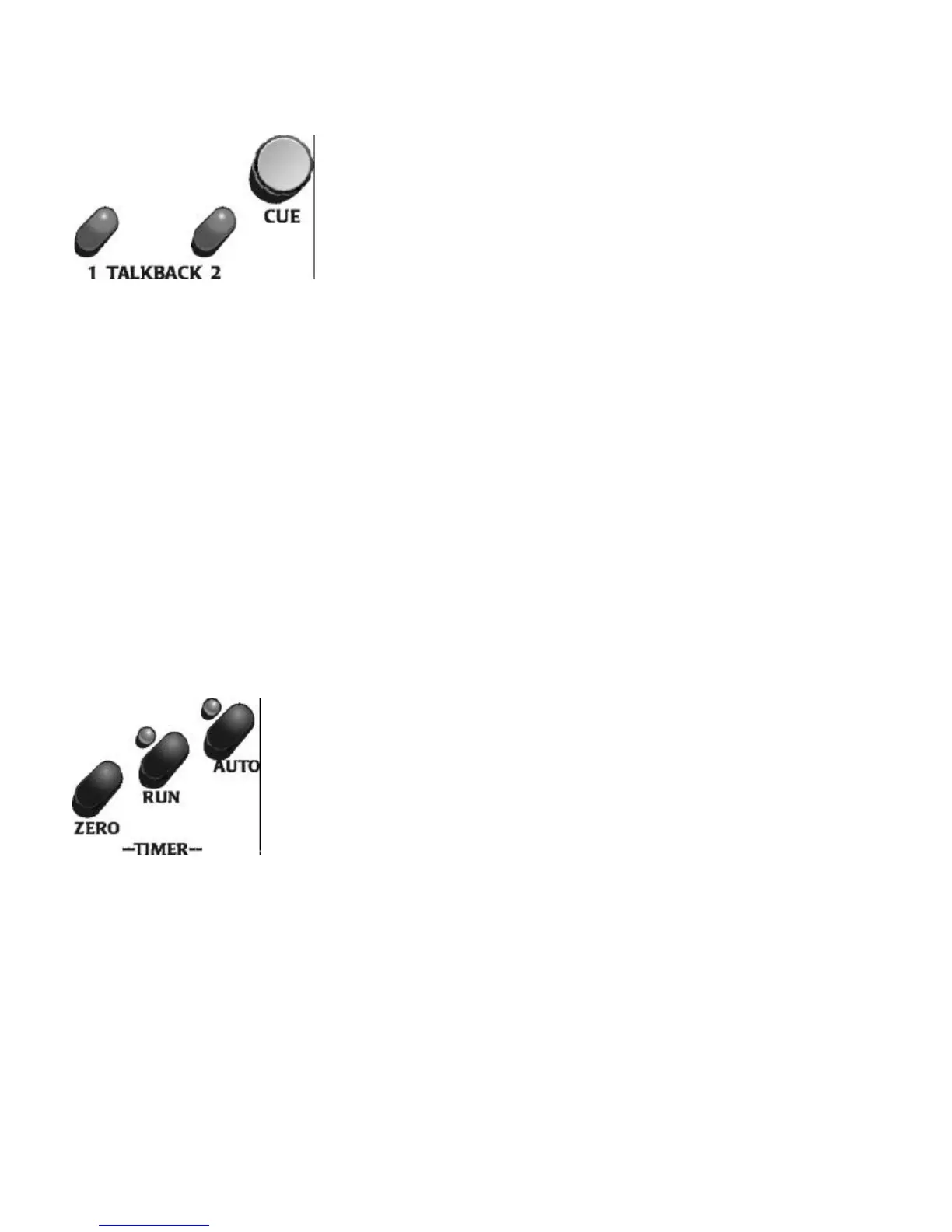
The Cue knob controls the volume of the local cue speaker
which has its own amplifier. Cue audio is returned to the
Control Surface from the Audio Engine as digital data on the
Control Surface cable. It is converted to analog at the Control
Surface. The relative cue level is indicated by the vertical bar on
the second line of the timer LCD display.
The Source and Destination for the Talkback buttons are set during
configuration. Any input can be sent to any output and designated as Talkback 1
or Talkback 2 . When the associated Talkback button is pressed, the designated
input is sent to the output while the button is pressed. When the button is
released, the connection is broken. This allows temporary audio connections to
be made for such functions as intercom.
The Timer display to the right of the VU meters is count up and the
events which reset it are set during configuration. The buttons between
the display and the Cue knob are used for local control of the timer. The
ZERO button resets the timer display. The AUTO button toggles
between automatic reset/start and manual operation. In auto operation
pressing any ON button will activate the timer if the Timer Reset is set to
Yes for that input. The RUN button toggles Start and Stop functions of
the timer.
Logitek Digital Consoles ROC-10/ROC-5 Control Surface
13


 To Next Page