Helpline No UK. 0871 2000 463 ROI. 01443 3940
Web Support: www.skymediauk.co.uk
Model Number: X19/17-USB
19
FEATURE MENU
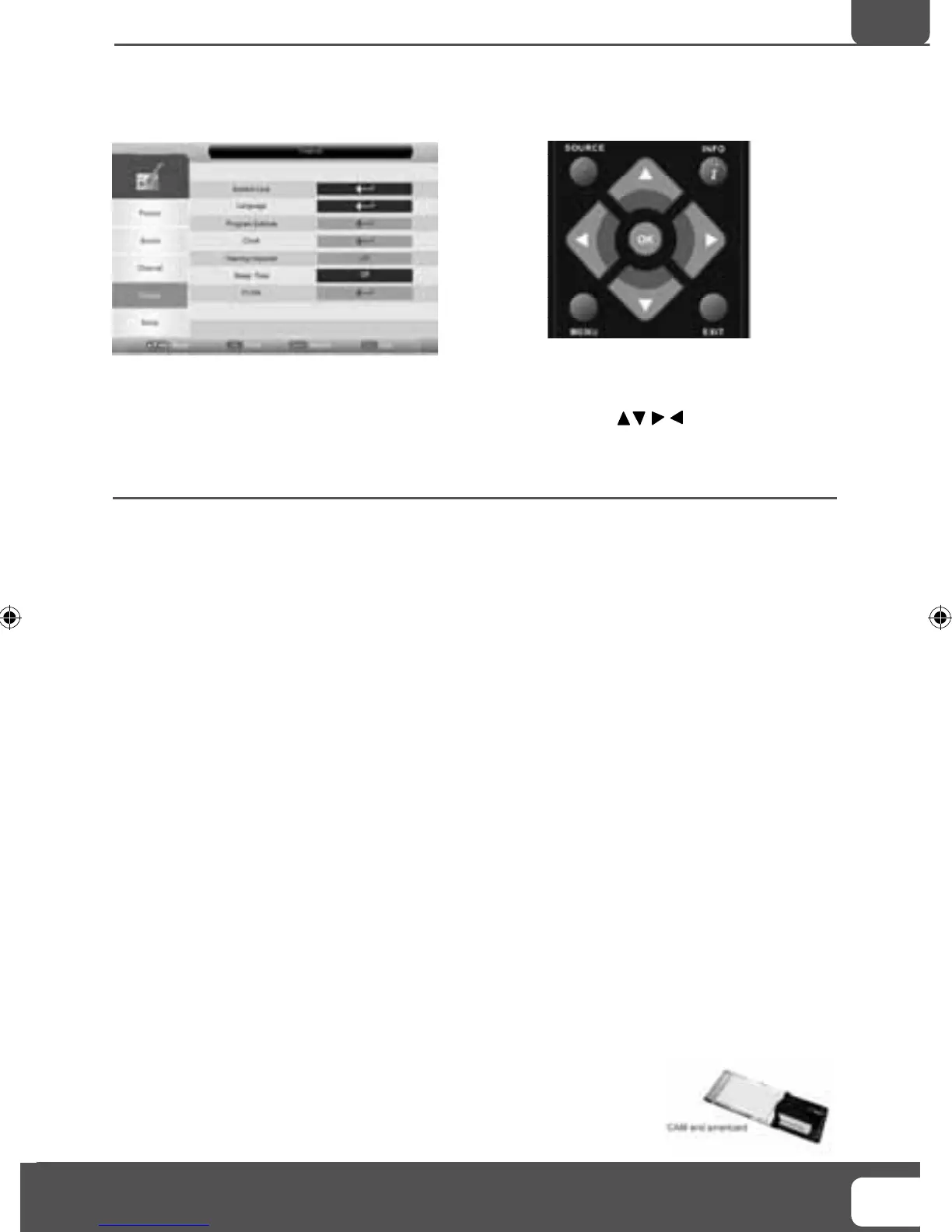
To access this menu, press [MENU] button on the remote control.
If you wish to make changes to any of the default settings, use the scroll
buttons. To confi rm
any settings press [OK] button.
To exit this menu at anytime, press [EXIT] button.
System Lock - This menu allows you to lock certain features of the television so that they can not be used
or viewed. For example if you don’
t want certain channels viewed by children or if the television is to be
used in a hotel and you want to limit the volume.
When you enter the system lock menu you will be asked for a pin code. As default it is 0000.
You now have the choice to lock any of the following:
System Lock - Switches all the locks on or off
Key Lock - Stops the buttons on the television working
Source Lock – Press [OK] to enter then apply On to lock the source so it can’t be used
Channel Lock - Press [OK] to enter then apply locks to channels you wish to block. This will lock the
channels of the source you using, i.e. Analogue, Freeview
.
Default Source – You can set the default start up source, so when the television is turned on it goes to this
source, i.e. FREEVIEW
, SCART, HDMI etc
Default Channel - You can set the default start up channel, so when the television is turned on it goes to
this channel.
Maximum Volume – You can limit the maximum volume
Change Pin Code – Press [OK] to enter, fi
rst enter the current code, then enter your new code and confi rm
your new code. Write the new code here so you don’t forget it ________________
Language - Lets you adjust the different language options available
Programme Schedule - Lets you manually set recording by date, time and number of recordings.
Clock - Allows you to set the clock (as default the information is taken automatically from the digital TV
signal)
Hearing Impaired - You can switch on the hearing impaired feature, this provides additional information
and subtitles
Sleep Timer - Lets you set the sleep timer so the television automatically switches off after a certain
amount of time
Common Interface - Pay per view services require a “smartcard” to be inserted
into the TV
.
If you subscribe to a pay per view service the provider will issue you with a ‘CAM’
and a “smartcard”. The CAM can then be inserted into the COMMON INTERFACE
PORT (CI Card In).
TV Menu Operation
AV
19- 17 Logix manual.indd Sec1:1919- 17 Logix manual.indd Sec1:19 18/12/2009 10:06:4218/12/2009 10:06:42


 To Next Page