Helpline No UK. 0871 2000 463 ROI. 01443 3940
Web Support: www.skymediauk.co.uk
Model Number: X19/17-USB
8
Please save your packaging as you will need this in the event of warranty/service repair or support. We
are unable to carry out warranty/service if you are unable to package it correctly. The safest way to
package your item in the event of warranty/service repair is in it’s original box/packaging.
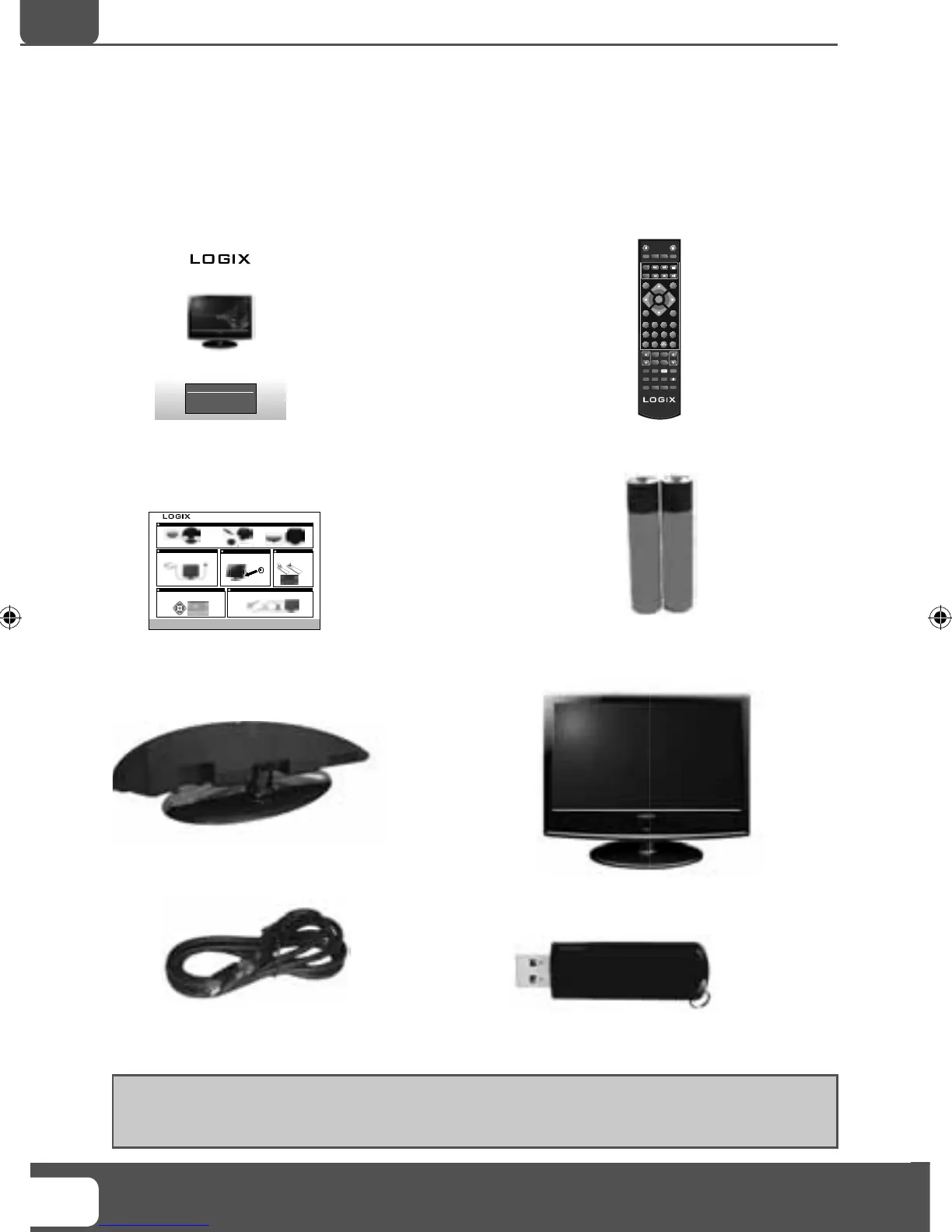
WHAT IS INCLUDED IN THE BOX
Accessories
Included with this TV are
the following accessories:
1 x User Guide
1 x Quick Start Guide 2 x AAA Batteries
1 x TV1 x Stand
1 x RF Cable 1 x USB Memory Stick
1 x Remote Control
19” HD LCD TV WITH USB RECORD
Users Guide
Now you have purchased a Logix product
rest assured in the knowledge that as well as your 3 year parts
and labour warranty you have the added peace of mind of
dedicated helplines and web support :
AFTER SALES SUPPORT
UK HELPLINE NO 0871 2000 463
ROI HELPLINE NO 01443 3940
MODEL NUMBER: X19/17-USB
19” HD READY DIGITAL LCD TV WITH USB RECORD
Helpline No UK. 0871 2000 463 ROI. 01443 3940
Web Support: www.skymediauk.co.uk
Model Number: X19/17-USB
You will now be welcomed with the initial first time installation set-up
screen. Press OK on the remote control and tuning will start. If after tuning
some channels are missing, please refer to section 6.
Insert the batteries supplied into the remote
control and press the Standby button to
power on the TV
Once the signal booster is connected, retune the TV in order to receive all of the channels
Switch on the television using the power on/off switch
located on the side of the TV
On/Off SwitchOn/Off SwitchOn/Off SwitchOn/Off Switch
Remote control
n
Remote control
buttons
Remote control
buttons
Remote control
buttons
Remote control
buttons
Remote control
buttons
Using the RF cable supplied, connect the TV to the TV Aerial
wall socket (Fig A) then connect the Power cable to the Electrical
outlet (Fig B)
IMPORTANT:-If your TV signal is inadequate to receive a good Digital signal, you will
need to connect a ‘Signal booster’ between your TV and TV Aerial Socket. See section 6.
Fig B
Fig A
Push the TV into the stand
Rotate the TV
45°
into place
BC
If the TV finds some, but not all, of the channels you would expect to receive, this is because
the signal being received by the TV is inadequate. In most circumstances, this can be corrected
with the simple addition of a Signal Booster between the TV and the TV aerial wall socket as
shown below.
OK
Quick Start Set Up Guide. For full instructions please refer to the user manual.
The stand is now connected
A
What is included in the box
VOL
CH
1 2
3
4
5
6
7 8
0
9
OK
STANDBY
MUTE
ASPECT
MENU
EXIT
SOURCE
i
SUBTITLE
FAV
AUDIO
SLEEP
TV/RADIO
AV
TV GUIDE
ATV
USB
SIZE
REC
PVR
REC LIST
HOLD
DISPLAY
TEXT INDEX
INFO
R VEAL
.
P.Mode
S.Mode
19- 17 Logix manual.indd Sec1:819- 17 Logix manual.indd Sec1:8 18/12/2009 10:06:2318/12/2009 10:06:23


 To Next Page