LogTag UTRIX Work Instruction Manual Revision 1.07 MP Release Page 43/52
Customisation (cont.)
Procedure
1. Scan in the production batch id from the printed supplied production batch document, the screen then
shows the labels to be attached.
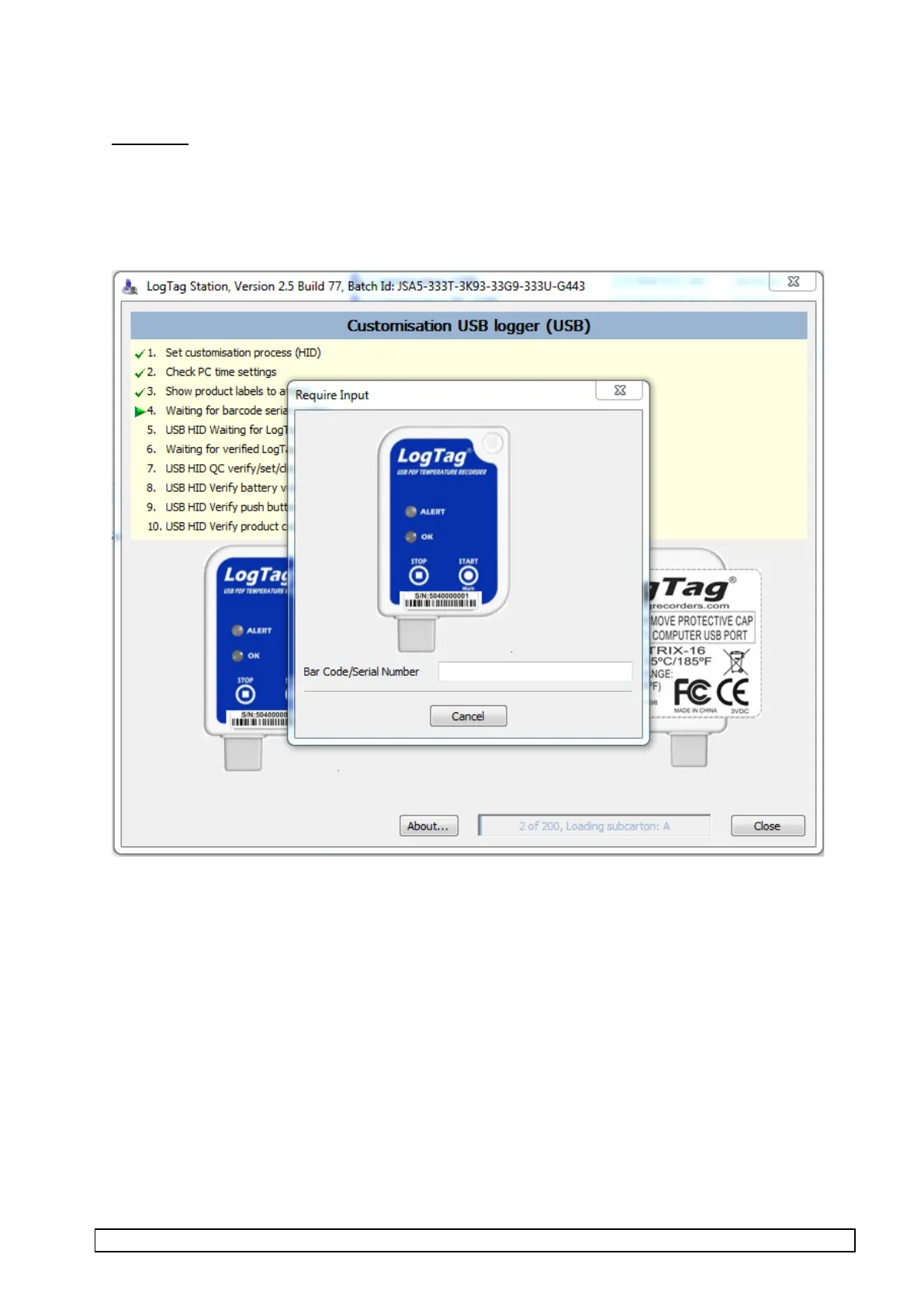
If the front serial number label is to be attached then the screen below will appear otherwise it is skipped
and the screen on the next page is displayed.
2. Remove protective tape from LED and buttons and affix Front label.
3. Affix Front serial number barcode label.
4. Affix Rear label.
5. Scan barcode label on front of LogTag.
Using barcode scanner, scan the barcode on the label that is attached to the Front of the unit.
The barcode scanner beeps if the scan is successful, the Bar Code/Serial Number field is filled in and
the customisation proceeds to the next steps automatically.
6. If the barcode scan is bad then the above screen remains until a barcode serial number is successfully
entered. It is also possible to enter the serial number manually using the keyboard.



 To Next Page